Settings
The Settings page is the place to customize your SwiftCareer experience.
Purpose
The Settings page allows you to:
- Customize experience: Adjust settings according to your preferences
- Manage account: Update your account information
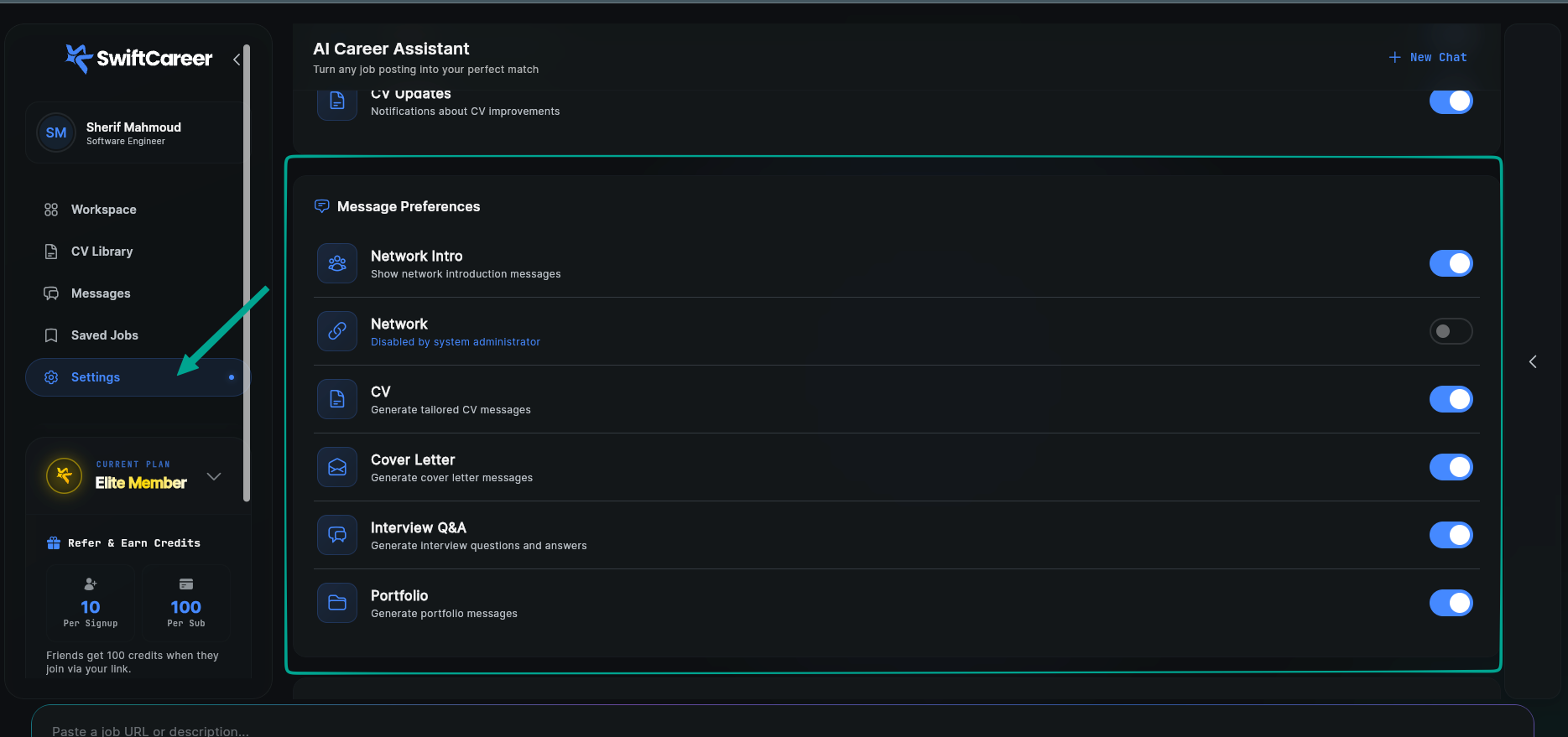
- Customize message types: Control which message types appear in Chat Workspace
Accessing Settings
From the main menu, tap "Settings" or access it from the profile page.
Main Sections
1. Account
- Personal Information: Name, email
- Password: Change password
- Delete Account: Permanently delete your account
2. Preferences
- Language: Choose interface language (Arabic, English, etc.)
- Time Zone: Select time zone
- Formats: Date and number formats
3. Appearance
- Theme: Light, dark, automatic
- Font Size: Font size in the interface
Message Types Customization
Control which message types appear in Chat Workspace. You can enable or disable specific message types based on your preferences.
Analysis Messages
- Analyzing Message - Appears while analyzing the job description
- Job Results Message - Summary of job requirements and insights
- Match Analysis Message - Comparison between your profile and job requirements
Action Messages
- Missing Skills - List of required skills not in your CV
- Follow-up Apply Message - Suggestions for next steps
- CV Message - Your tailored CV
- Cover Letter Message - Your tailored cover letter
- Portfolio Creation Message - Appears while creating portfolio
- Portfolio Message - The created portfolio
Intro Message
- Intro Message - Welcome message for new users
How it works:
- Toggle each message type on/off using the switch
- When disabled, that message type won't appear in Chat Workspace
- When enabled, messages will appear normally
Common Issues
Can't Save Changes
Solution:
- Check internet connection
- Make sure you're logged in
- Try again
Changes Don't Appear
Solution:
- Reload the app
- Wait a moment (there may be a delay)
- Check settings again
Next Steps
After customizing settings:
Getting Help
- Review FAQ
- Review Technical Support
- Contact support via swiftcareer.io