Cover Letter Message
The Cover Letter Message displays a personalized cover letter draft that has been tailored specifically for the job you're applying to, highlighting your relevant experience and explaining why you're a great fit.
What Is This Message?
The Cover Letter Message shows:
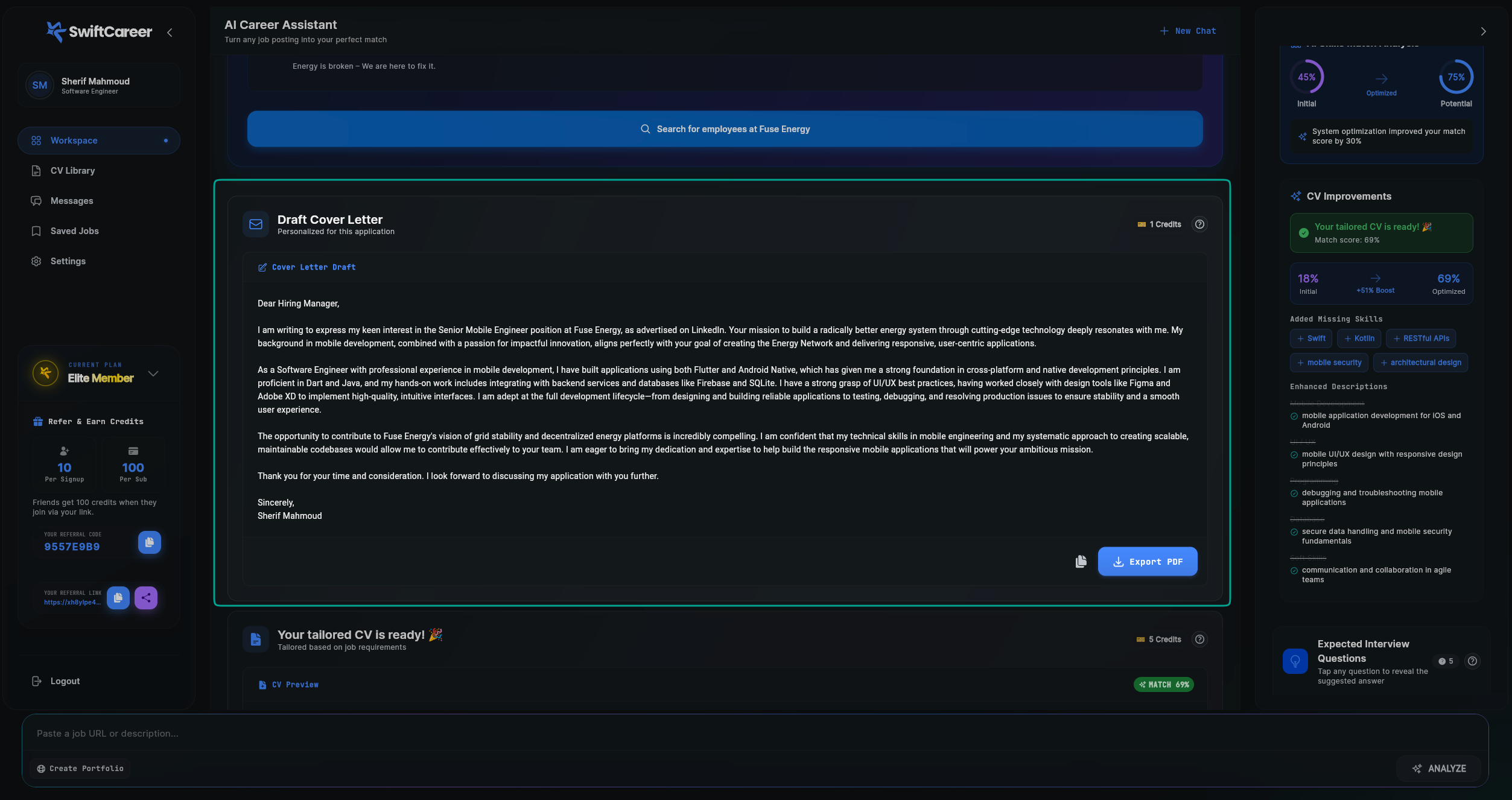
- Your draft cover letter: A personalized letter written for the specific role, displayed as ready-to-use text
- Job-specific content: Content that directly addresses the job requirements and company
- Your unique value: Why you're the right candidate for this position
- Action buttons: Options to copy the text or export as PDF
This message provides you with a professional, customized cover letter that complements your tailored CV and helps you stand out from other applicants.
Message Components
Cover Letter Text The main body displays your complete cover letter as plain text, including:
Salutation
- Personalized greeting (e.g., "Dear Hiring Manager,")
Opening Paragraph
- Introduction of yourself
- How you learned about the position
- Your interest in the role
- Connection to the company's mission or values
Body Paragraphs (2-3 paragraphs)
-
First paragraph: Your relevant experience and skills
- Highlights experience that matches job requirements
- Mentions specific technologies, frameworks, or tools
- Shows understanding of the role
- Demonstrates your technical expertise
-
Second paragraph: Why you're interested in the company/role
- What attracts you to the position
- How you align with company values
- Your career goals and how this role fits
- Enthusiasm for contributing to the company's mission
-
Third paragraph (if included): Additional value you bring
- Unique skills or perspectives
- Relevant experience and achievements
- Confidence in your ability to contribute
Closing Paragraph
- Reiteration of interest
- Call to action (request for interview or discussion)
- Professional closing (e.g., "Thank you for your time and consideration.")
Signature
- "Sincerely," followed by your name (e.g., "Sherif Mahmoud")
How to Use It
Step 1: Read the Complete Letter
- Read carefully: Review the entire cover letter from top to bottom
- Check flow: Ensure it reads naturally and flows well
- Verify information: Make sure all details are accurate
- Company name is correct
- Job title matches the position
- Your experience and skills are accurately represented
- Assess tone: Ensure it's professional and appropriate
- Check length: Verify it's an appropriate length (typically one page)
Step 2: Review Content Accuracy
- Check facts: Ensure all mentioned experience is accurate
- Verify achievements: Confirm any numbers, metrics, or technologies are correct
- Review skills: Make sure mentioned skills match your profile
- Confirm company details: Verify any company-specific information is accurate
- Check your name: Ensure your name is spelled correctly
Step 3: Copy or Export
Step 4: Use for Your Application
- Attach to application: Include the PDF with your CV
- Email applications: Paste the text or attach the PDF
- Job portals: Upload the PDF or paste the text as required
Important Tips
Review Before Using
Always Review:
- Never use a cover letter without reviewing it first
- Check that all information is accurate and truthful
- Ensure the tone matches the company culture
- Verify that your name and contact information are correct
Check for Accuracy:
- Company name and job title must be correct
- All mentioned skills and experience must be true
- Technologies and tools mentioned should match your actual experience
- Any numbers or metrics should be accurate
Personalization
The cover letter is already personalized for:
- The specific job you're applying to
- The company and its mission
- Your relevant experience and skills
- The job requirements
You can further personalize by:
- Adding the hiring manager's name if you know it
- Mentioning specific company details you've researched
- Including a personal connection if you have one
- Adjusting the tone to match the company culture
Content Guidelines
Be Authentic:
- The SwiftCareer AI generates based on your profile, but always verify accuracy
- Don't make false claims or exaggerate experience
- Be honest about your skills and achievements
- Show genuine interest in the role
Be Professional:
- The generated letter uses professional language
- Maintain this professional tone when using it
- Check grammar and spelling (though AI-generated content is typically correct)
- Ensure it's appropriate for the industry and role
Common Mistakes to Avoid
- Not reviewing: Always read the entire letter before using
- Wrong company name: Double-check company and role names
- False information: Never use content that contains inaccurate information
- Too generic: The letter is personalized, but verify it feels specific to the role
- Spelling errors: While rare, always do a final check
Next Steps
After reviewing your Cover Letter:
- Review Interview Questions - Prepare for potential interviews
- Submit Application - Complete your application
Getting Help
- Review FAQ
- Contact support via swiftcareer.io