Network Message
The Network Message helps you expand your professional network by connecting with employees at the target company on LinkedIn. This increases your visibility and chances of being noticed by the company, thereby increasing your probability of getting accepted for the position.
What Is This Message?
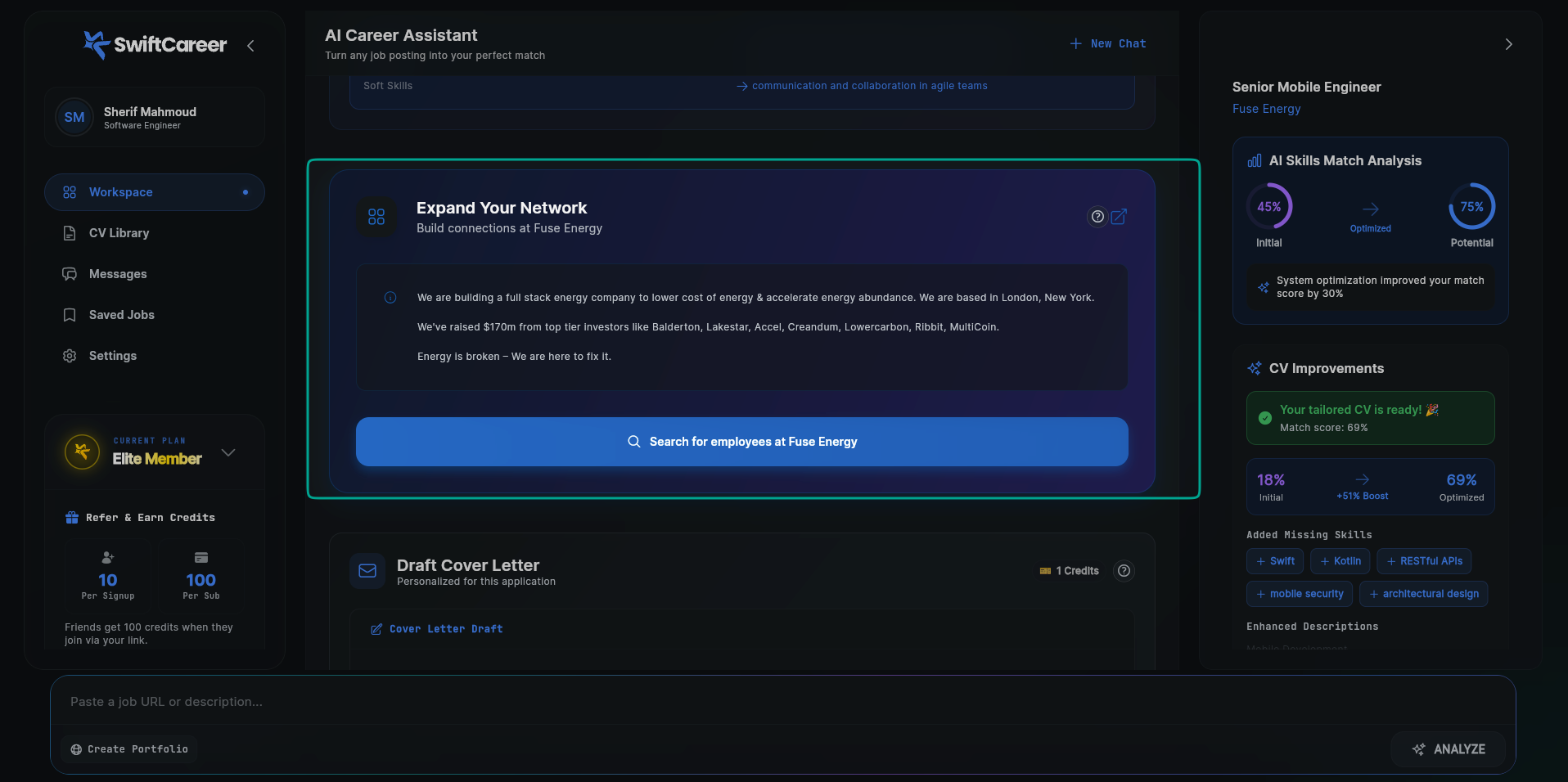
The Network Message is a strategic networking tool that focuses on:
- Expanding your professional network: Helps you build relationships with employees at the target company
- Increasing acceptance probability: The more connections you have in the company, the higher your chances of being noticed and accepted
- Increasing visibility: Connecting with employees makes you more visible and noticeable to the company
- Getting referrals: Strong relationships can lead to internal referrals that boost your chances
This message helps you go beyond just applying - it helps you build genuine relationships that can significantly improve your chances of getting the job.
Message Components
1. Company Information
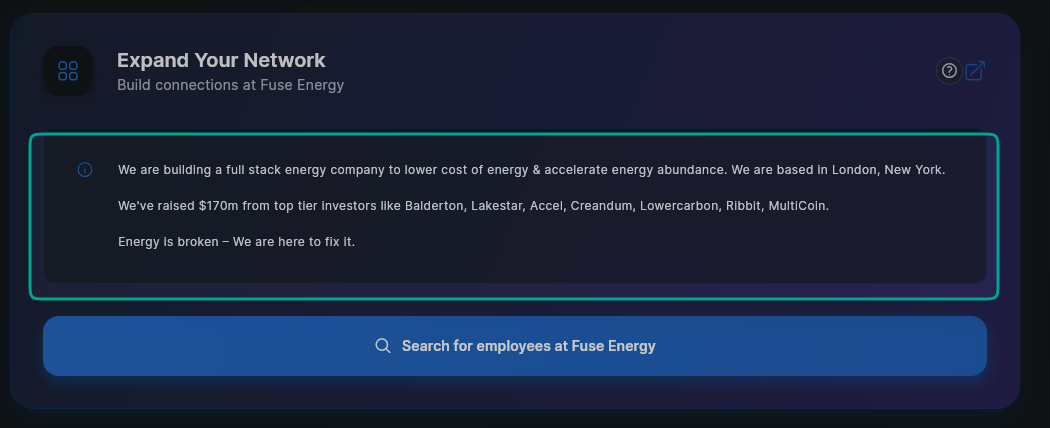
The message displays comprehensive information about the target company:
Company Name
- The exact company name from the job posting
- Used to search for employees on LinkedIn
Department/Team
- The specific department or team if mentioned
- Helps narrow down the search for relevant people
Location
- Company location or office location
- Useful for finding local connections
Additional Information
- Company description and activities
- Funding and investor information (if available)
- Any other information that can help you understand the company culture
2. Search for Employees Button
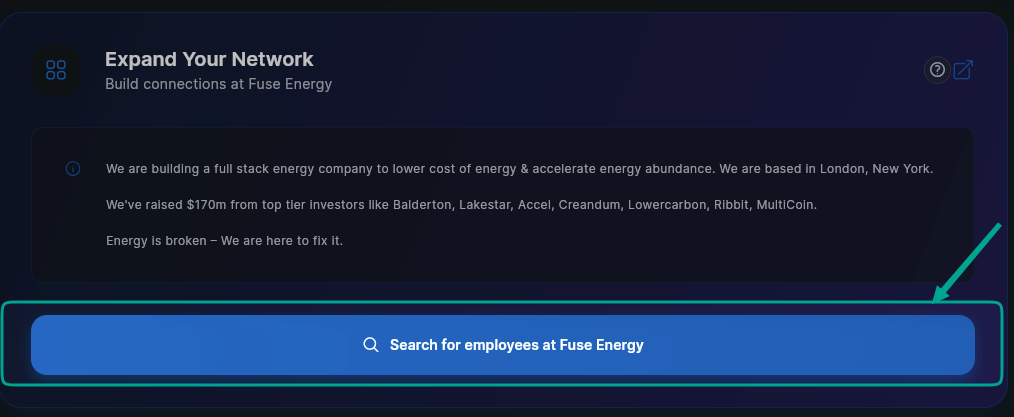
Main Button
- When you click the button, it opens LinkedIn with all employees at the company
- You can search and browse through all employees working at the company
- This gives you the opportunity to connect with any employee at the company, not just the suggested people
How to Use the Button
- Use it to search for employees in the target department
- Search for people in the same role or similar roles
- Connect with hiring managers and HR personnel
- Expand your network by connecting with as many employees as possible
3. Suggested Connections
Hiring Managers
- People who might be involved in the hiring process
- Usually in HR or the department that's hiring
Team Members
- Current employees in the same role or similar roles
- Can provide valuable insights about the position and company
Department Heads
- Managers or leads in the relevant department
- May be decision-makers in the hiring process
Recruiters
- Company recruiters or talent acquisition
- Direct points of contact for applications
4. Connection Strategy
Personalized Approach
- Tips on how to craft your connection request
- What to say when reaching out
Timing Recommendations
- When is the best time to connect
- How to follow up appropriately
Conversation Starters
- Suggested topics for initial messages
- How to mention the job opportunity
How to Use It
Step 1: Review Company Information
- Read the information: Learn about the company and its activities
- Understand the culture: Use the information to understand the company culture
- Prepare for outreach: Use the information in your messages when connecting
Step 2: Use the Search for Employees Button
- Click the button: Open LinkedIn with all employees at the company
- Explore employees: Browse the employee list and search for relevant people
- Expand your search: Don't limit yourself to just the suggested people - search for more
- Prioritize: Decide who you want to connect with first
Step 3: Prepare Your Connection Request
- Personalize: Never use the default LinkedIn connection request
- Be specific: Mention the job or company
- Be professional: Keep it brief and respectful
- Show value: Explain why connecting would be beneficial
Step 4: Send Connection Requests
- Start with most relevant: Connect with hiring managers or recruiters first
- Space them out: Don't send all requests at once
- Follow LinkedIn etiquette: Respect people's time and privacy
Step 5: Engage After Connecting
- Send a follow-up message: After they accept, send a brief message
- Ask thoughtful questions: Show genuine interest
- Mention the opportunity: Politely mention you're interested in the role
- Don't be pushy: Be respectful of their time
Step 6: Build Relationships
- Engage with their content: Like and comment thoughtfully
- Share relevant content: Show your expertise
- Stay in touch: Maintain the relationship beyond just this job
Important Tips
Connection Request Best Practices
Do:
- Personalize every request
- Mention the specific job or company
- Keep it brief (2-3 sentences)
- Be professional and respectful
- Show genuine interest
Don't:
- Use default LinkedIn messages
- Ask for a job directly in the request
- Be pushy or demanding
- Send generic messages
- Connect with too many people at once
Sample Connection Request
Good Example:
Hi [Name],

I noticed you're a [Role] at [Company]. I'm very interested in the [Job Title] position you're hiring for and would love to connect to learn more about the role and your team.

Best regards,
[Your Name]
Bad Example:
Hi, I'd like to add you to my professional network.
Timing Matters
- Early application: Connect before or right after applying
- Business hours: Send requests during weekdays
- Avoid weekends: People are less likely to respond
- Follow up: If no response, wait a week before following up
Building Genuine Connections
- Show interest in them: Not just what they can do for you
- Offer value: Share insights or resources
- Be patient: Building relationships takes time
- Stay professional: Keep it work-appropriate
Practical Example
Here's what a Network Message might look like:
🔗 Networking Opportunities

Company: Fuse Energy
Department: Engineering Team
Location: London, New York

Company Information:
We are building a full stack energy company to lower cost of energy & accelerate energy abundance. We are based in London, New York.

We've raised $170m from top tier investors like Balderton, Lakestar, Accel, Creandum, Lowercarbon, Ribbit, MultiCoin.

Energy is broken - We are here to fix it.

[🔍 Search for employees at Fuse Energy on LinkedIn]

Suggested Connections:

1. Emily Carter - Senior Mobile Developer
   - 5 years at Tech Innovations
   - Works on Flutter projects
   - [Connect on LinkedIn]

2. James Thompson - Hiring Manager
   - Head of Mobile Development
   - Active in hiring
   - [Connect on LinkedIn]

3. Olivia Smith - Talent Acquisition
   - Company Recruiter
   - Handles technical roles
   - [Connect on LinkedIn]

💡 Connection Strategy:

1. Personalize your request - mention the Flutter Developer role
2. Send requests during business hours (Sunday-Thursday)
3. After connecting, send a brief message about your interest
4. Engage with their content to build rapport

Sample Connection Request:
"Hi [Name], I'm interested in the Senior Flutter Developer position at Tech Innovations. I'd love to connect and learn more about your team and the role. Best regards, [Your Name]"
What to do with this:
- Review the information: Read and understand the company information
- Use the button: Click the search for employees button to explore all employees at the company
- Review suggestions: Check if the suggested people are relevant
- Visit profiles: Click through to learn more about them
- Prepare requests: Craft personalized connection requests
- Send strategically: Start with the hiring manager or recruiter
- Follow up: After they accept, send a thoughtful message
Next Steps
After reviewing the Network Message:
- Connect on LinkedIn - Start building your network
- Tailor Your CV - Prepare your application
- Create Cover Letter - Write a compelling cover letter
Getting Help
- Review FAQ
- Contact support via swiftcareer.io