Job Results Message
The Job Results Message provides a comprehensive summary of the job you've shared, extracting key information and insights to help you understand the role better.
What Is This Message?
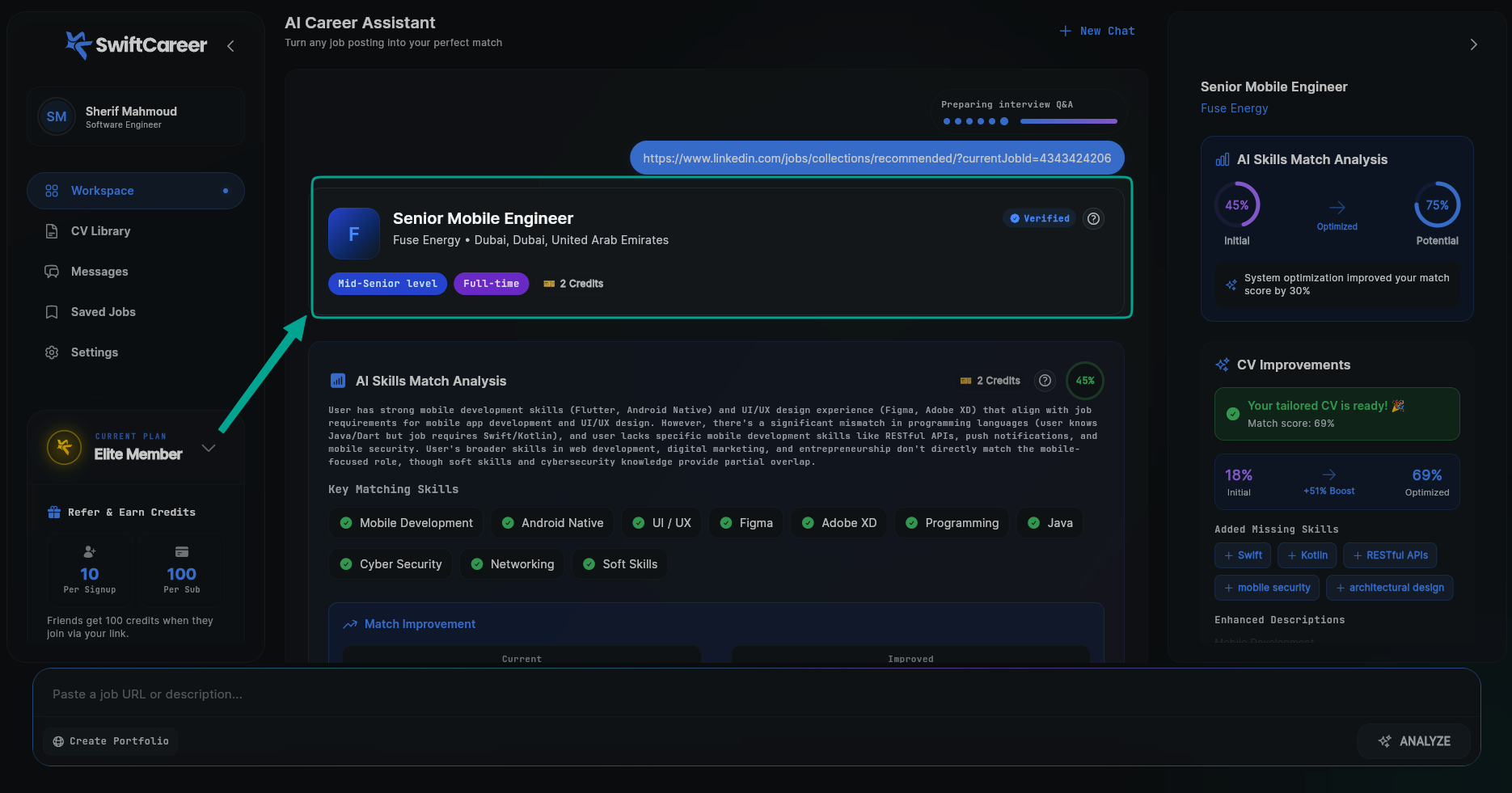
The Job Results Message is a detailed breakdown of the job posting that appears after the assistant analyzes the job description you provided. It extracts and organizes important information such as:
- Job title and company
- Location and work type (remote, on-site, hybrid)
- Seniority level
- Required skills and qualifications
- Key responsibilities
- Keywords and important terms
This message helps you quickly understand what the job requires before you proceed with tailoring your CV.
When Does It Appear?
The Job Results Message appears:
- After job analysis: Once you paste a job description or LinkedIn URL and the assistant finishes analyzing it
- Before match analysis: This is typically the first detailed message you see after the analyzing indicator
- As a summary: When the system extracts job information from any source
Message Components
1. Header Section
Job Title
- The exact job title as listed in the posting
- Helps you understand the role level and expectations
Company Name
- The company offering the position
- Useful for research and customization
Location
- Physical location or remote work options
- Important for understanding work arrangements
2. Job Details Section
Seniority Level
- Entry-level, Mid-level, Senior, or Lead
- Helps you assess if the role matches your experience
Work Type
- Remote, On-site, Hybrid
- Important for your application decision
Required Experience
- Years of experience expected
- Example: "3-5 years" or "5+ years"
3. Skills and Qualifications
Technical Skills
- Programming languages, frameworks, tools
- Listed in order of importance when possible
Soft Skills
- Communication, leadership, teamwork
- Often mentioned in job descriptions
Qualifications
- Education requirements
- Certifications or licenses needed
4. Key Responsibilities
Main Duties
- Core responsibilities of the role
- Helps you understand day-to-day work
Project Types
- Types of projects you'll work on
- Useful for tailoring your experience
5. Keywords Section
Important Terms
- Key phrases and terminology
- These will be used to optimize your CV
How to Use It
Review and Verify
- Check accuracy: Verify job title, company, and location match your expectations
- Identify requirements: Note must-have skills vs. nice-to-haves
- Assess fit: Determine if you meet the core requirements
Prepare for Tailoring
- Keywords: Important terms will be used when tailoring your CV
- Align experience: Match your background with listed responsibilities
- Use exact terminology: Keywords are crucial for ATS systems
Important Tips
- Verify details: Always double-check extracted information for accuracy
- Use LinkedIn links: They provide more accurate extraction than plain text
- Pay attention to keywords: Use exact terms from the job posting for better ATS matching
Practical Example
How to Get Job Results
You can provide the job information in two ways:
Option 1: Paste LinkedIn Job URL
https://www.linkedin.com/jobs/view/4343424206
Option 2: Paste Job Description
Senior Mobile Engineer
Fuse Energy
Dubai, United Arab Emirates

We're looking for a Senior Mobile Engineer with 5+ years of experience...
[Full job description text]
What You'll See
After the assistant analyzes the job, you'll see a Job Results Message card displaying all extracted information in an organized format:

What to do with this:
- Review: Check if the title, company, and location are correct
- Assess: Determine if you have the required 5+ years of experience
- Skills check: See which skills you have and which you're missing
- Prepare: Use these keywords when tailoring your CV
- Research: Look up Tech Innovations Inc. to understand their culture
Next Steps
After reviewing the Job Results Message:
- Review Skills Match Analysis - See how your profile matches
- Tailor Your CV - Create a customized CV
Getting Help
- Review FAQ
- Contact support via swiftcareer.io