Tailored CV Message
The Tailored CV Message displays your customized CV that has been optimized specifically for the job you're applying to, with improved match percentage and job-relevant keywords.
What Is This Message?
The Tailored CV Message shows:
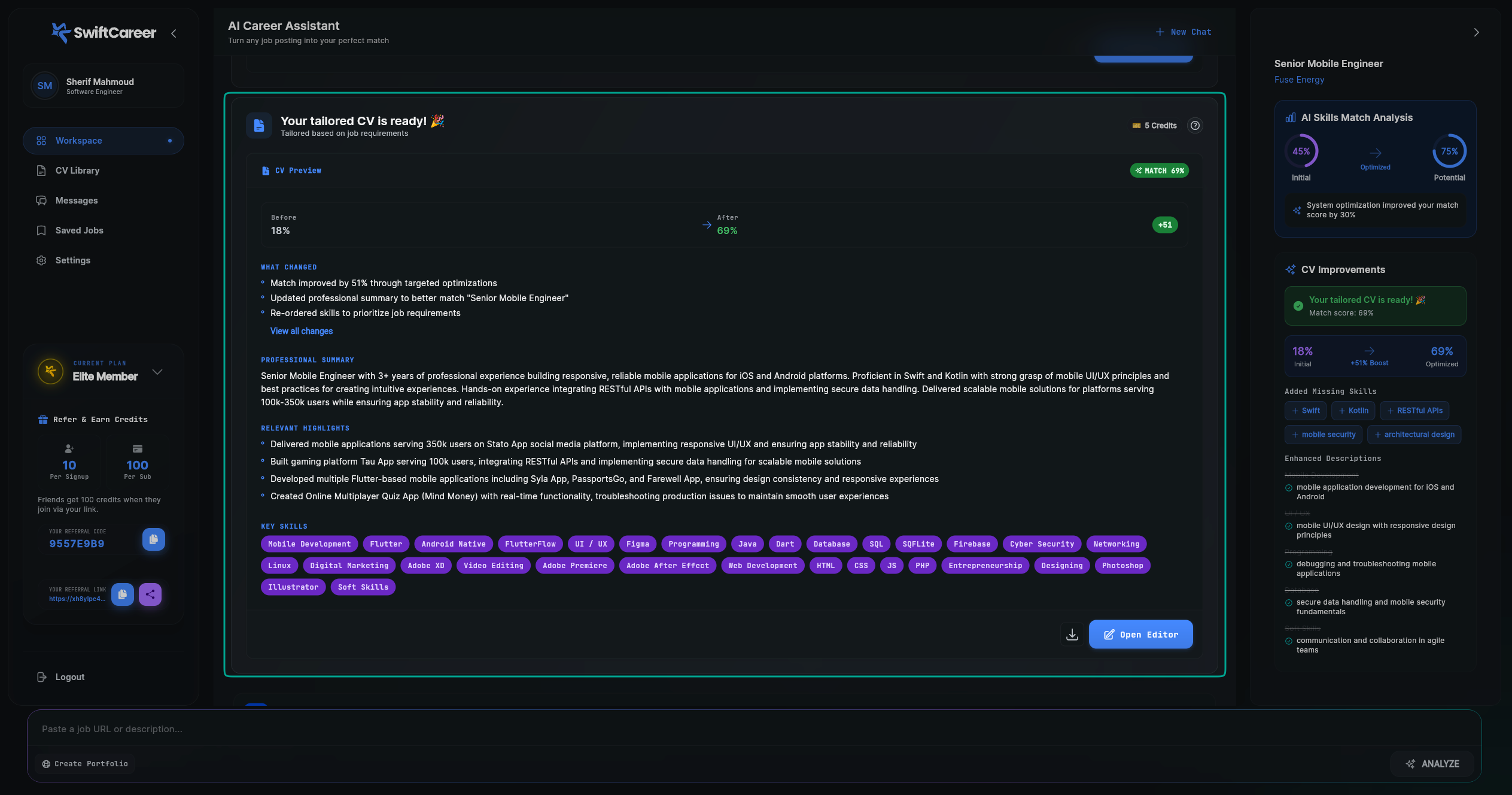
- Your optimized CV: A version of your CV tailored to the specific job
- Match improvement: Visual representation of how much your match percentage improved (e.g., from 18% to 69%)
- Key optimizations: Detailed breakdown of what changes were made to improve your match
- Action buttons: Quick access to preview, edit, export, or analyze your CV
This message represents the result of the AI tailoring process, where your CV is optimized using keywords, skill reordering, and content enhancement based on the job requirements.
Message Components
Main Content Area
1. Header Section
Match Percentage Visualization
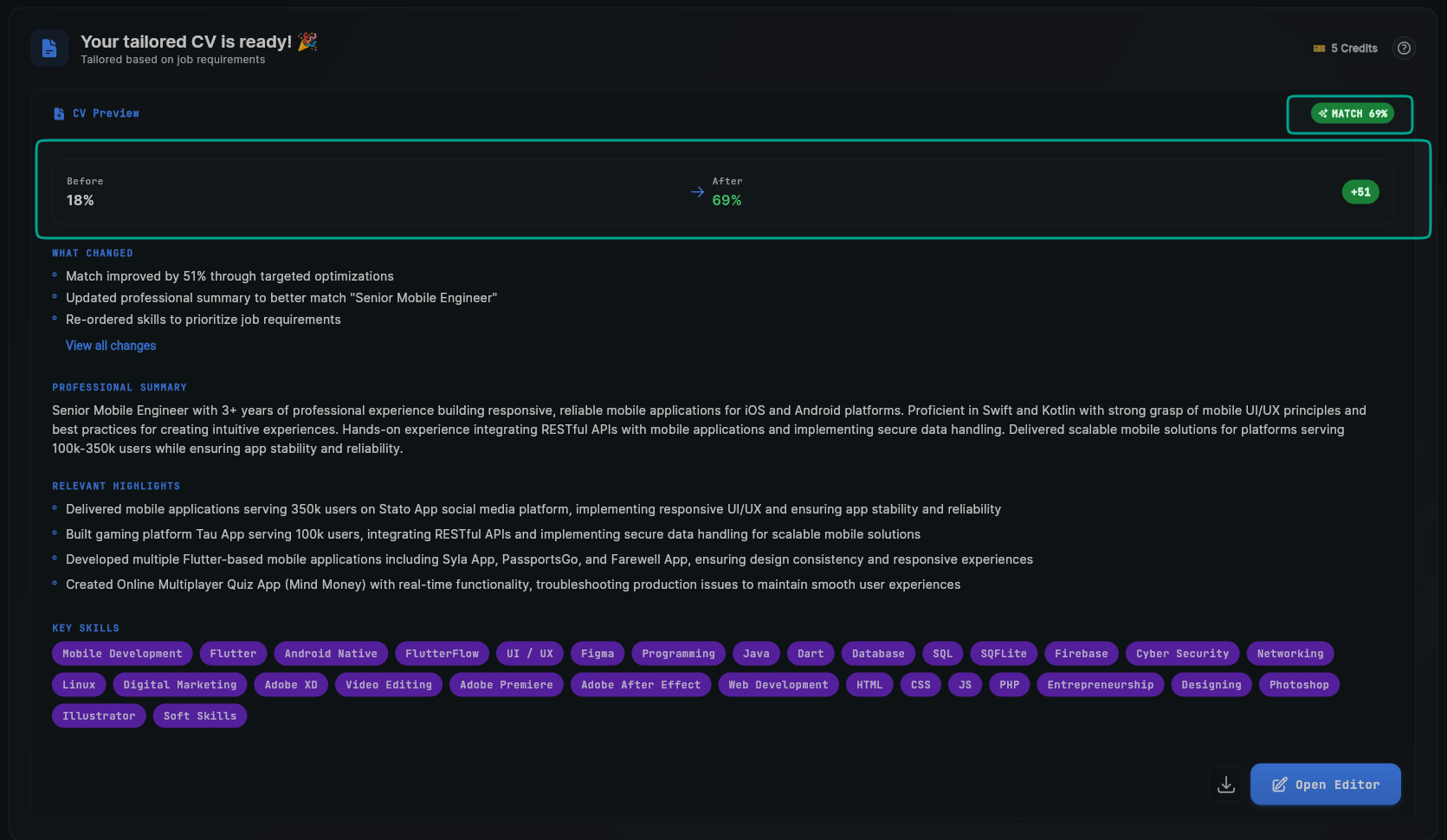
- Shows a visual comparison of your match score:
- Before: Your initial match percentage (e.g., "18%")
- After: Your optimized match percentage (e.g., "69%")
- Improvement: The increase shown with a "+" sign (e.g., "+51")
- Match Badge: A "MATCH 69%" badge displaying your final match score
2. WHAT CHANGED Section
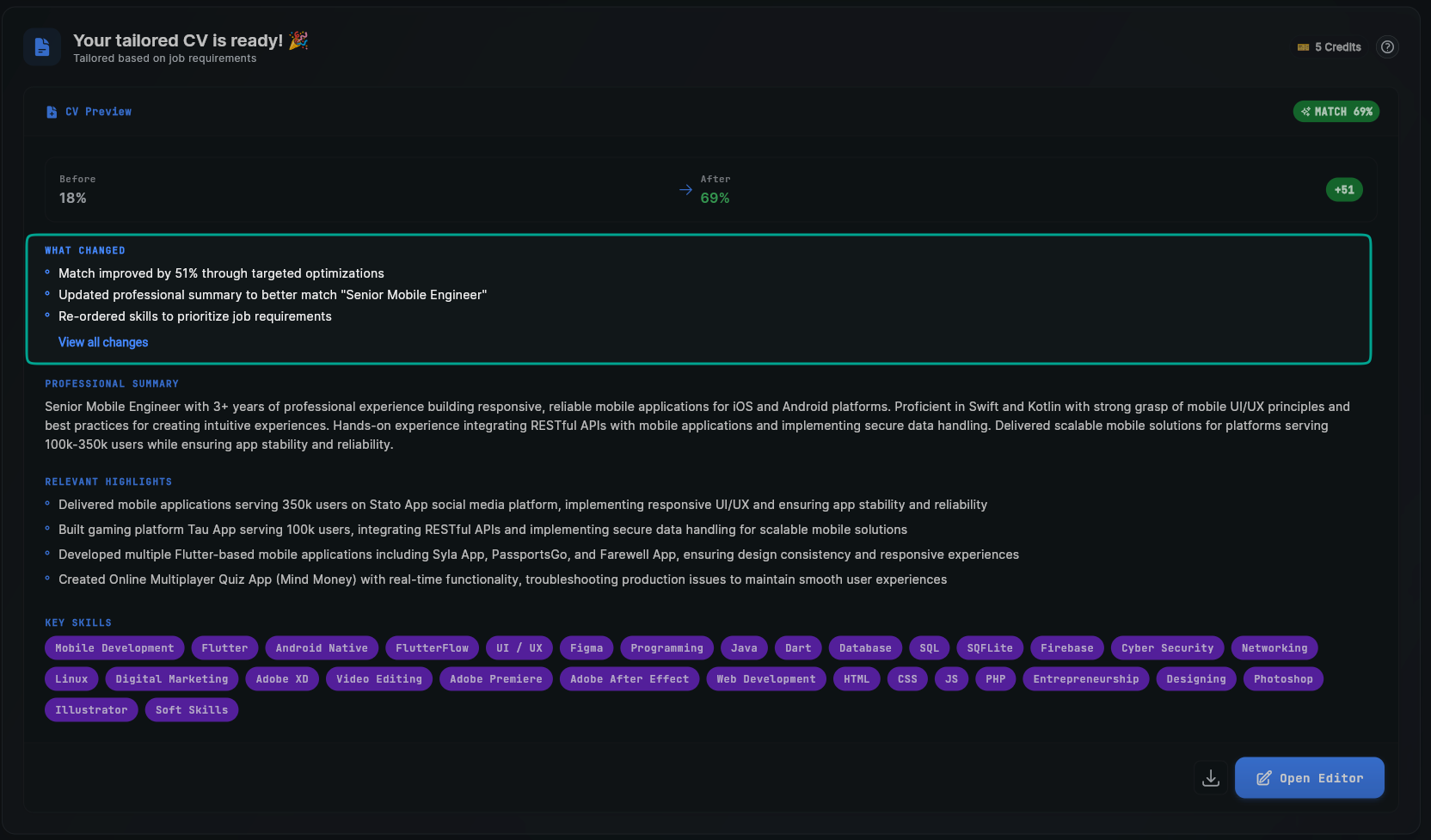
A detailed list of optimizations made to your CV, including:
- Match improvement summary: "Match improved by 51% through targeted optimizations"
- Summary updates: "Updated professional summary to better match 'Senior Mobile Engineer'"
- Skills reordering: "Re-ordered skills to prioritize job requirements"
- "View all changes" link: Click to see a complete list of all modifications
3. PROFESSIONAL SUMMARY Section
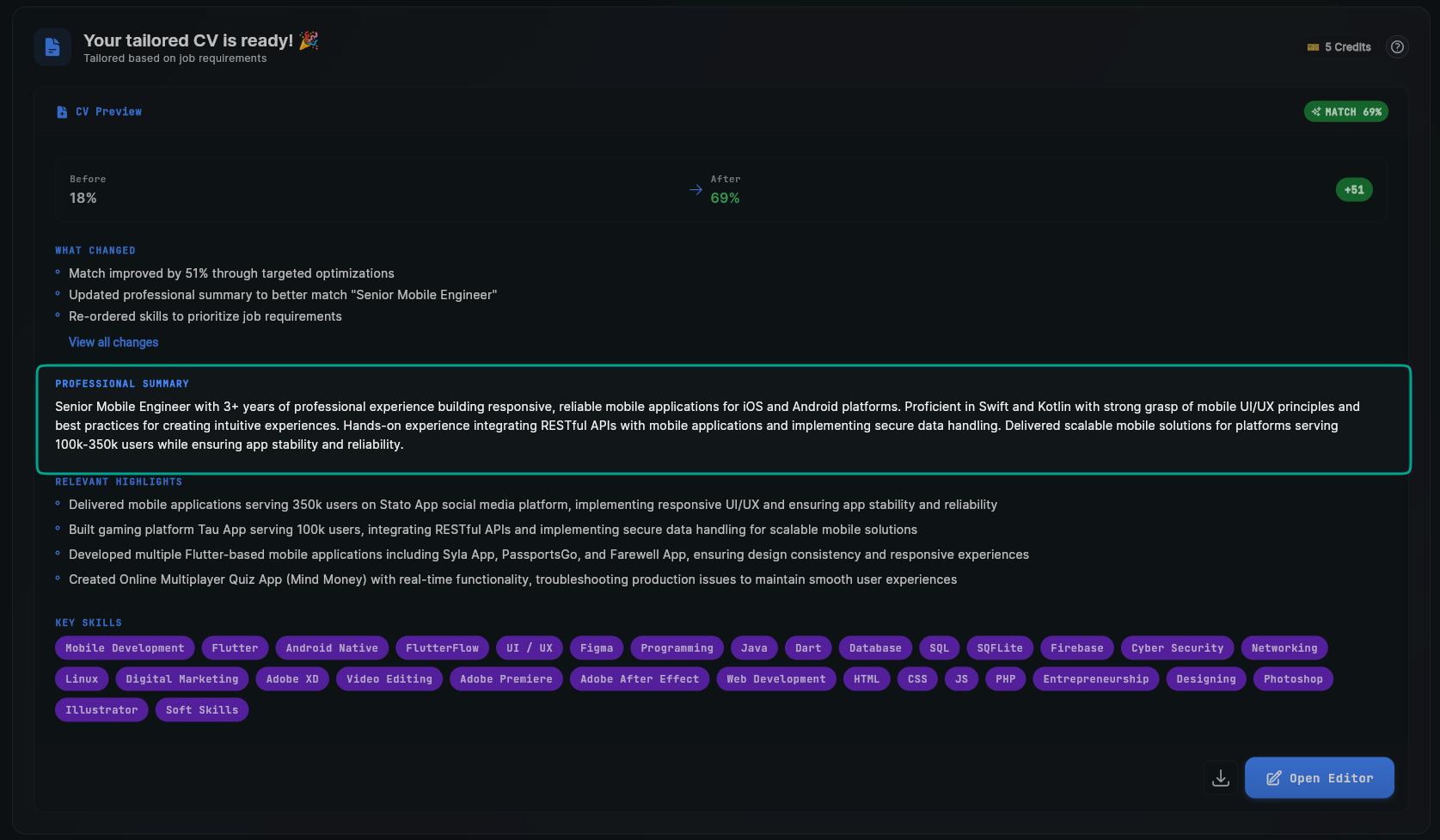
- Your professional summary optimized with job-relevant keywords
- Enhanced to better match the job title and requirements
- Includes specific technologies, years of experience, and relevant achievements
- Example content focuses on your experience level, key technologies, and notable accomplishments
4. RELEVANT HIGHLIGHTS Section
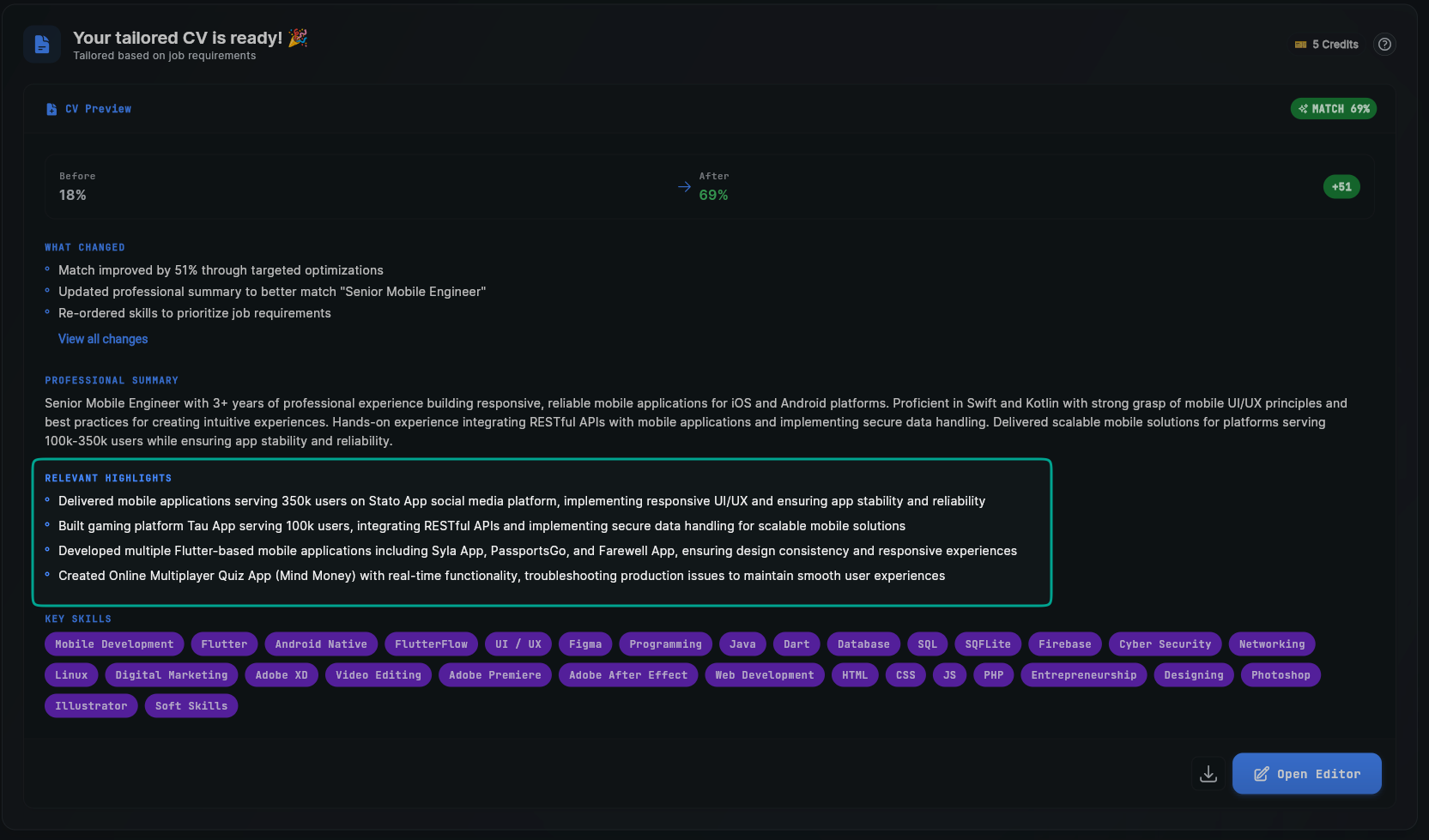
A list of your most relevant work experiences and achievements, typically showing 4 key highlights:
- Each highlight focuses on a specific project or role
- Emphasizes user impact
- Highlights relevant technologies and responsibilities
- Mentions specific achievements and outcomes
5. KEY SKILLS Section
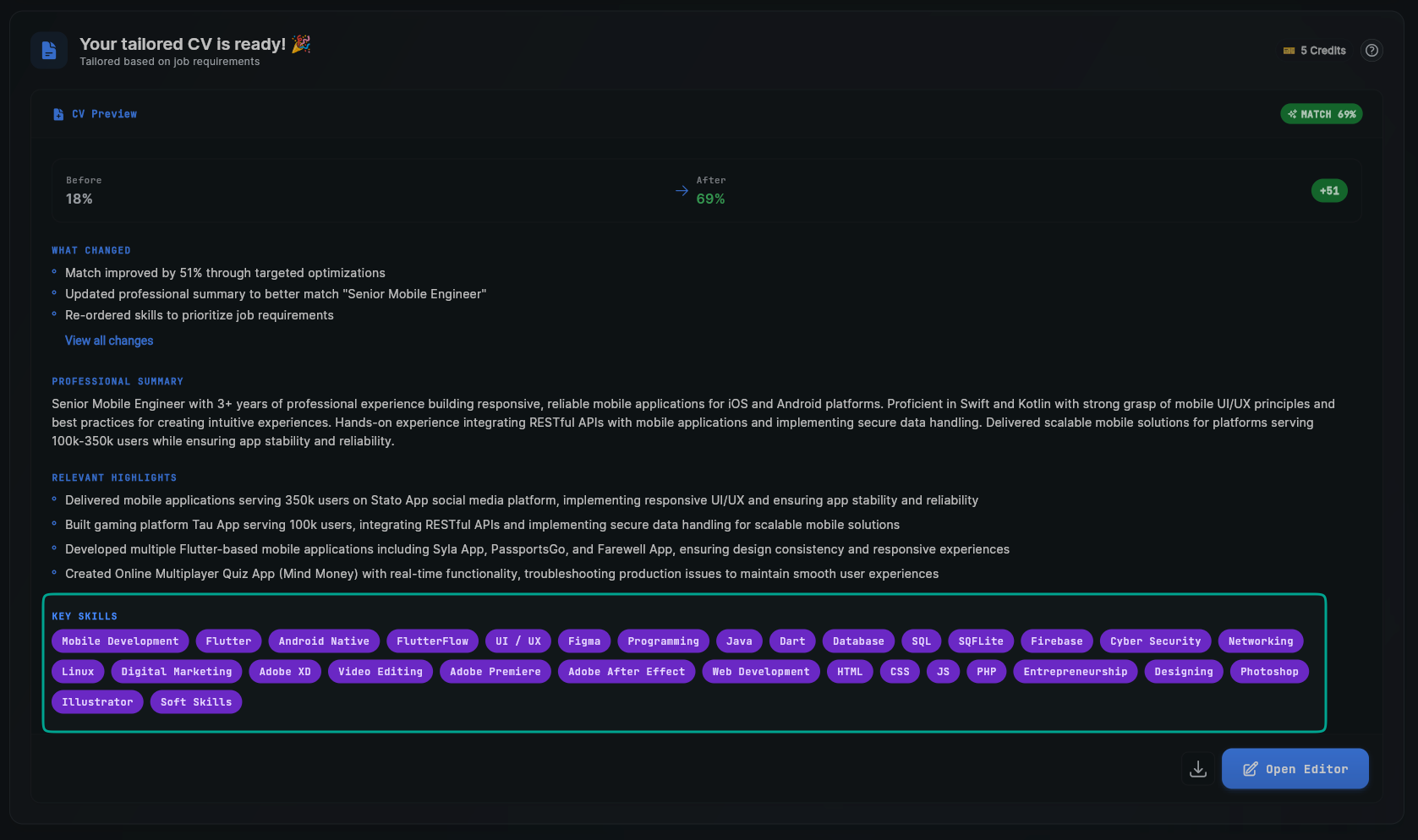
- Displays your skills in a grid layout with purple tag-style badges
- Skills are reordered by relevance to the job
- Most relevant skills appear first
- Includes technical skills, tools, frameworks, and soft skills
6. Action Buttons
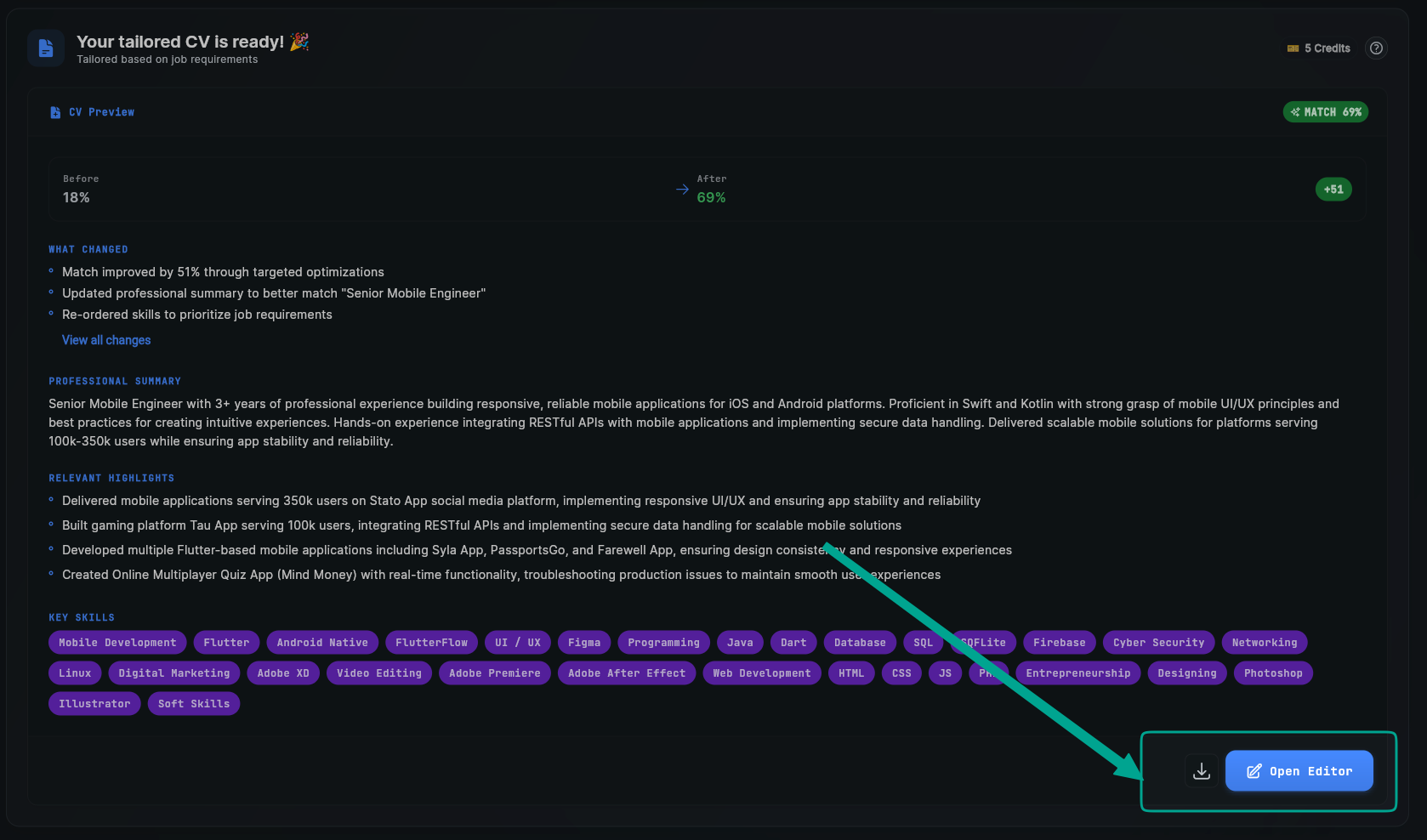
- Download icon: Click to download your CV
- "Open Editor" button: Opens the visual CV editor for manual adjustments
Right Sidebar
The right sidebar provides additional analysis and improvement details:
CV Improvements Section
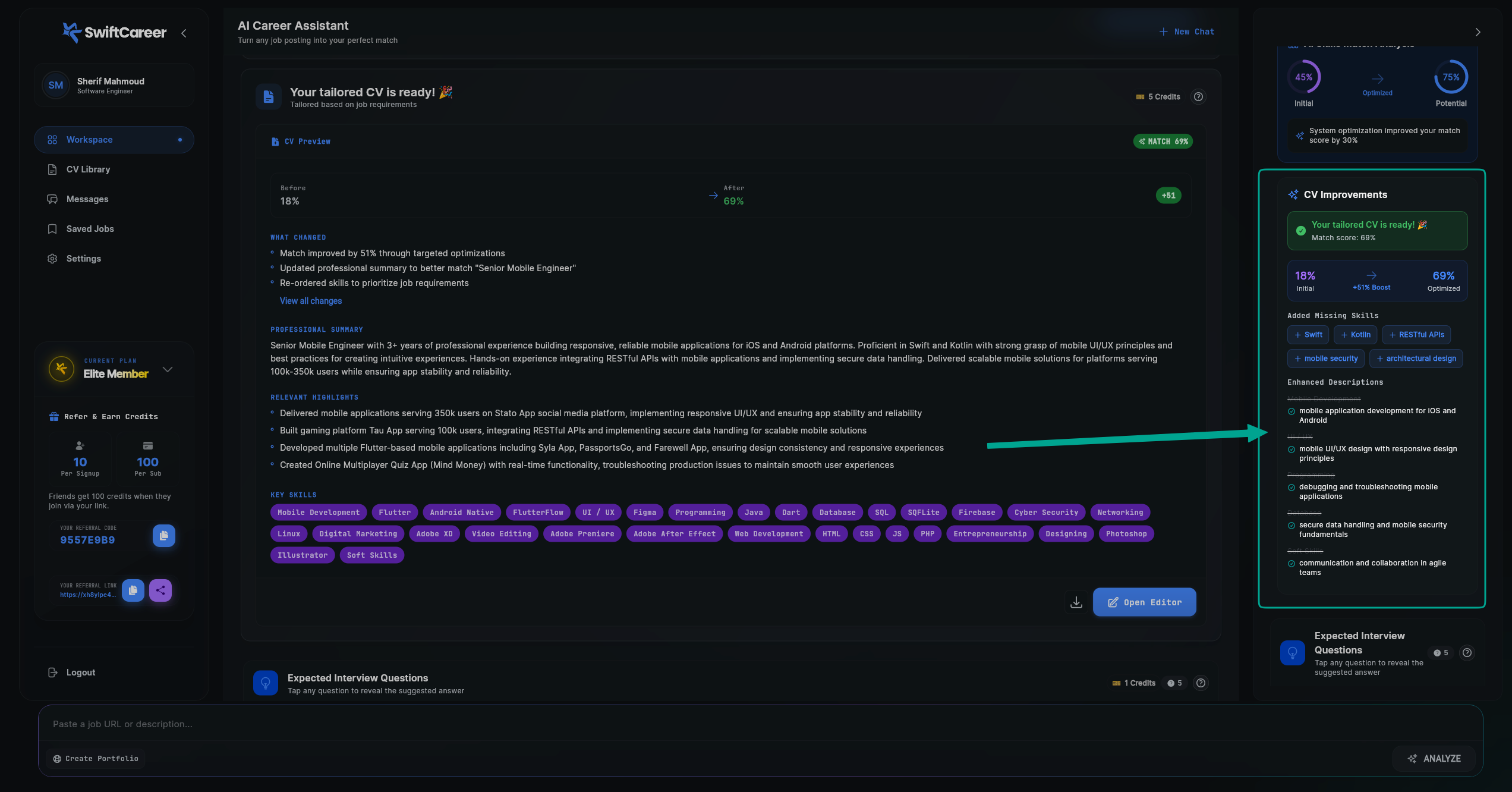
Detailed breakdown of CV enhancements:
Match Score Display
- Shows your final match score (e.g., "Match score: 69%")
- Green checkmark indicating your tailored CV is ready
Progress Bar Visualization
- Visual progress bar showing:
- 18% Initial: Your starting match percentage
- 69% Optimized: Your final match percentage
- +51% Boost: The improvement achieved
Added Missing Skills
- Lists skills that were added or emphasized:
- Displayed as blue tags with plus signs
- These are skills relevant to the job that were integrated into your CV
Enhanced Descriptions
- A list of 5 specific enhancements made to your CV descriptions
How to Use It
Step 1: Review the Match Improvement
- Check the percentages:
- Look at the "Before" and "After" match percentages in the main header
- Review the AI Skills Match Analysis in the right sidebar (Initial vs Optimized)
- Note the improvement amount (e.g., "+51" or "+30%")
- Understand the scores:
- The main match score (e.g., 69%) represents overall CV-to-job alignment
- The skills match score (e.g., 75%) focuses specifically on skills alignment
- Higher scores indicate better alignment, but 60%+ is generally good
Step 2: Review WHAT CHANGED
- Read the summary: Understand the key optimizations made
- Check specific changes: Review each bullet point to see what was modified
- View all changes: Click "View all changes" if you want a complete breakdown
- Verify appropriateness: Ensure all changes make sense for your background
Step 3: Review Your Tailored CV Content
- Professional Summary:
- Read carefully to ensure it accurately represents you
- Check that keywords are used naturally
- Verify years of experience and technologies are correct
- Relevant Highlights:
- Review each highlight to ensure accuracy
- Check that user numbers, project names, and achievements are correct
- Verify technologies and responsibilities match your actual experience
- Key Skills:
- Confirm all listed skills are accurate
- Check that skills are properly prioritized
- Ensure no skills were incorrectly added
Step 4: Review Right Sidebar Analysis
- AI Skills Match Analysis:
- Understand how your skills alignment improved
- Note the difference between Initial and Optimized scores
- Added Missing Skills:
- Review which skills were added or emphasized
- Ensure these skills are relevant and accurate
- Verify you actually have experience with these skills
- Enhanced Descriptions:
- Review the 5 enhancements made
- Understand how your descriptions were improved
- Check that enhancements are appropriate
Step 5: Preview and Edit (If Needed)
- Open Editor: Click "Open Editor" to make manual adjustments
- Personalize: Add your own touch if needed
- Fix any issues: Correct any inaccuracies or remove inappropriate additions
Step 6: Export Your CV
- Download: Click the download icon to save your CV
- Name appropriately: Use a clear filename like "CV_YourName_CompanyName.pdf"
Step 7: Use for Application
- Attach to application: Use the exported PDF
- Reference in cover letter: Mention key points from your tailored CV
Important Tips
Understanding Match Percentages
Main Match Score (e.g., 69%)
- Represents overall alignment between your CV and the job posting
- Considers all aspects: skills, experience, summary, keywords
- This is the primary score to focus on
Skills Match Score (e.g., 75%)
- Focuses specifically on skills alignment
- May be higher than the main match score if skills are well-aligned
- Shown in the AI Skills Match Analysis section
Improvement Metrics
- The "+51" or "+30%" shows how much you improved
- Larger improvements indicate more effective tailoring
- Even small improvements (10-20%) can make a difference
Review Before Using
- Always review: Never use a tailored CV without reviewing it first
- Check accuracy: Ensure all information is correct
- Verify changes: Make sure optimizations make sense
- Maintain honesty: Don't let tailoring add false information
- Review added skills: Ensure "Added Missing Skills" are skills you actually have
Understanding Optimizations
What the AI Does:
- Reorders skills by relevance to the job
- Rephrases content with job keywords naturally
- Emphasizes relevant experience and achievements
- Optimizes professional summary for the specific role
- Adds or emphasizes missing skills that are relevant
- Enhances descriptions to better match job requirements
What the AI Doesn't Do:
- Add false information or fabricate experience
- Invent skills you don't have
- Change dates, companies, or job titles
- Create achievements you didn't accomplish
- Modify your actual work history
Understanding "Added Missing Skills"
- These are skills that are relevant to the job but may not have been prominently featured in your original CV or your profile
- The AI identifies these from the job posting and integrates them
- Important: Only skills you actually have should be included
- If a skill is added that you don't have, remove it in the editor
- These skills are integrated naturally into your existing content
Understanding "Enhanced Descriptions"
- Your existing descriptions are improved to better match job requirements
- Keywords and phrases from the job posting are naturally integrated
- Descriptions are rephrased to emphasize relevant aspects
- No false information is added, only existing content is enhanced
Customization
- Add personal touch: The AI tailors, but you can enhance further
- Maintain your voice: Keep your unique style where appropriate
- Highlight achievements: Add specific metrics if you have them
- Show personality: Let your personality shine through
- Remove inappropriate additions: If something doesn't fit, remove it
Next Steps
After reviewing your Tailored CV:
- Create Cover Letter - Write a matching cover letter
- Review Interview Questions - Prepare for interviews
- Use the ANALYZE button to perform additional analysis if needed
Getting Help
- Review FAQ
- Contact support via swiftcareer.io