Quick Start
A step-by-step guide to get started with SwiftCareer and create your first tailored CV.
Step 1: Create an Account or Sign In
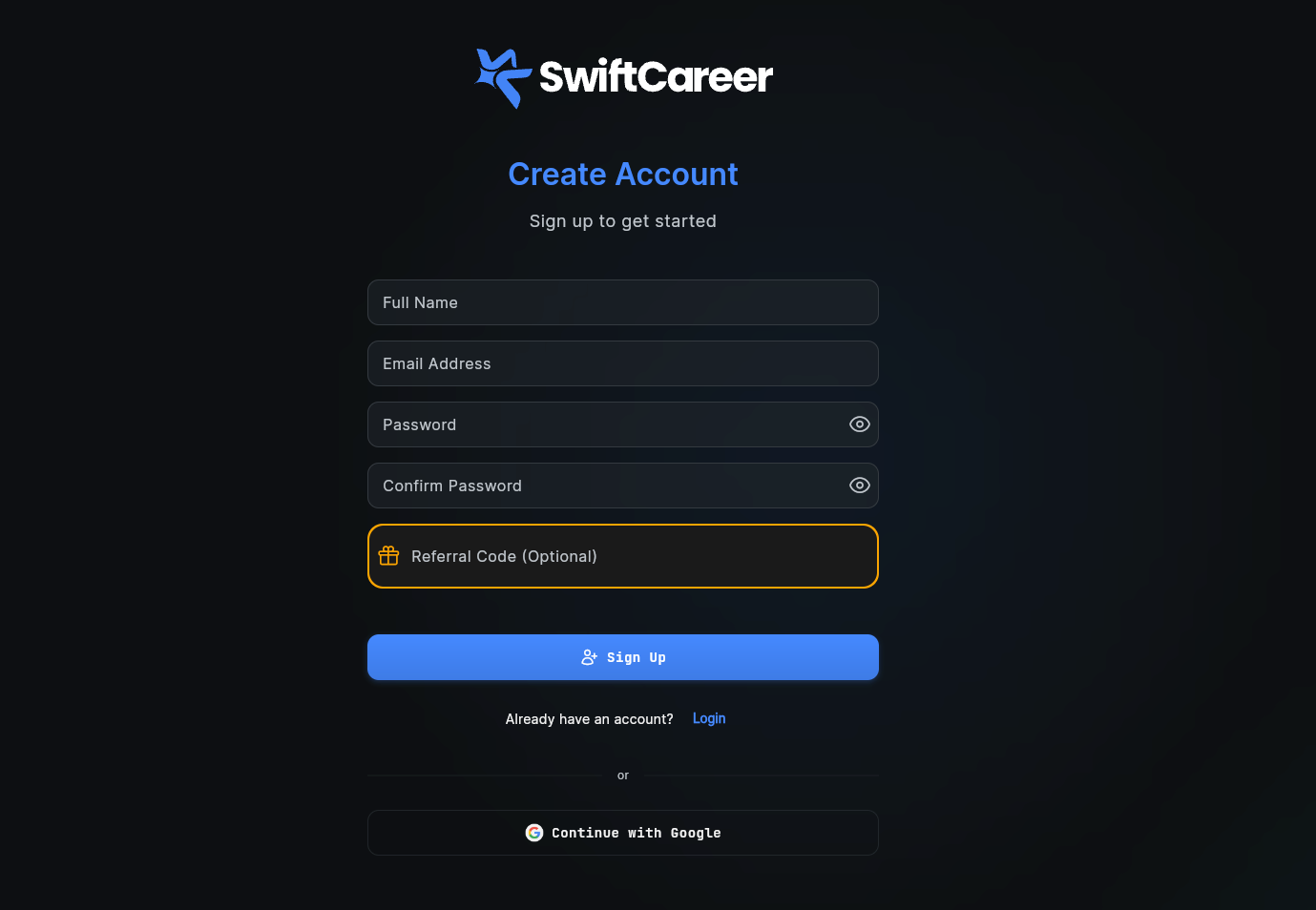
Create a New Account
- Open the SwiftCareer app
- Tap "Sign Up" or "Create Account"
- Fill in the form:
- Enter your Full Name
- Enter your Email Address
- Create a Password (with confirmation)
- Optionally add a Referral Code if you have one
- Tap "Sign Up" button
- Verify your email if prompted
Sign In
If you already have an account:
- Tap "Sign In" or "Login"
- Enter your email and password
- Tap "Sign In"
Forgot your password? Use the "Forgot Password" link to reset it.
Step 2: Complete Your Profile
To get started, all you need to do is:
Upload any basic CV you have - Our AI will automatically analyze it and create your profile for you.
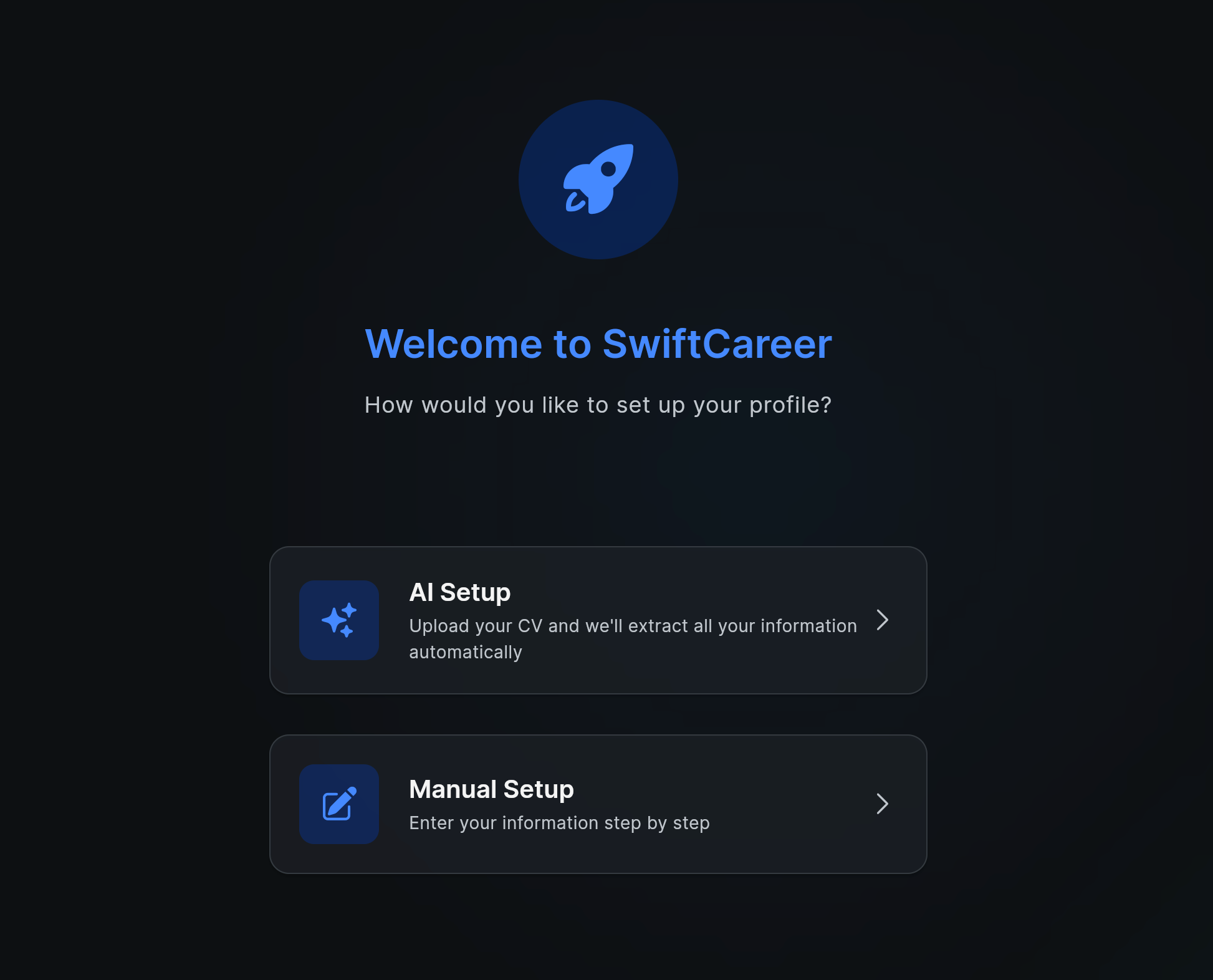
That's it! The AI will extract all the information from your CV (work experience, education, skills, etc.) and populate your profile automatically. You can review and edit the information later if needed.
Step 3: Use the Chat Workspace
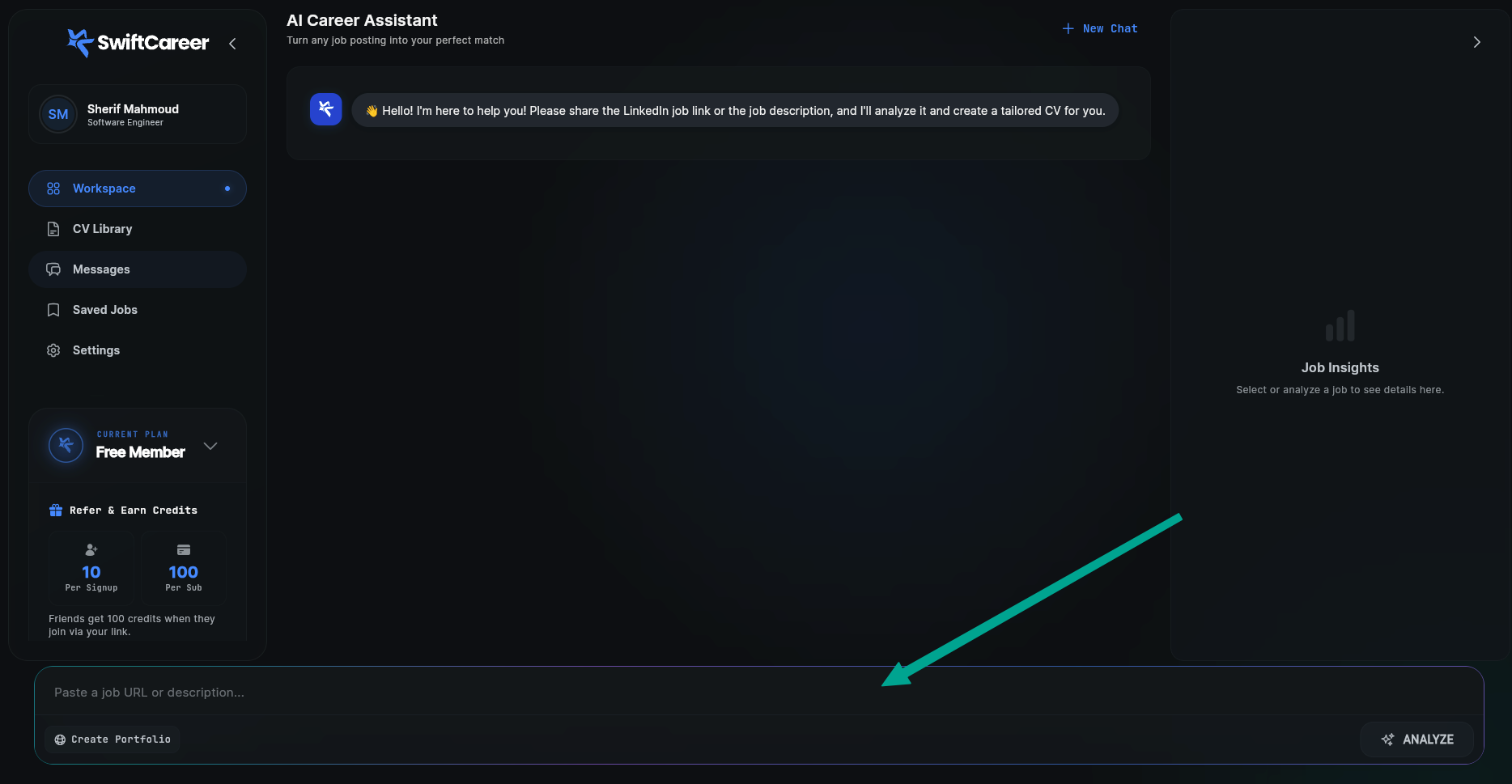
Access the Chat Workspace
- From the main menu, tap "Chat Workspace"
- You'll see a chat interface with the assistant
Enter a Job Description
You can:
- Paste a LinkedIn URL: If the job is on LinkedIn, paste the link directly
- Paste the Job Description: Copy and paste the full text of the job description
- Write a Simple Description: Describe the role you're looking for
Example:
I'm seeking a full-time Data Analyst position at a forward-thinking company that values data-driven decision making. I'm particularly interested in roles where I can turn raw data into actionable insights to drive business growth and improve processes.

**Position Sought:** Data Analyst

**Experience & Skills:**
- Over 4 years of experience working with large datasets to identify trends, patterns, and actionable recommendations.
- Advanced proficiency in SQL and Python for data extraction, cleaning, and analysis.
- Expertise using data visualization tools such as Tableau and Power BI.
- Hands-on experience building automated reports and dashboards.
- Strong background in statistical analysis, AB testing, and predictive modeling.
- Comfortable communicating technical findings to non-technical stakeholders.

**Requirements for the Ideal Position:**
- Opportunity to work with diverse data sources across different departments.
- Supportive team focused on continuous learning and innovation.
- Encouragement for ongoing professional development, such as attending analytics conferences or earning certifications.
Example LinkedIn job URL:
https://www.linkedin.com/jobs/view/3798564192/
What Happens Next
- Analysis: The assistant will analyze the job and extract requirements
- Job Results: You'll see a summary of requirements and keywords
- Match Analysis: Comparison between your profile and job requirements
- Missing Skills: List of required skills that may not be in your profile
Step 4: Tailored CV
After analyzing the job:
- Review the Match Analysis: See your strengths and gaps
- Add Missing Skills: Only if you actually possess them
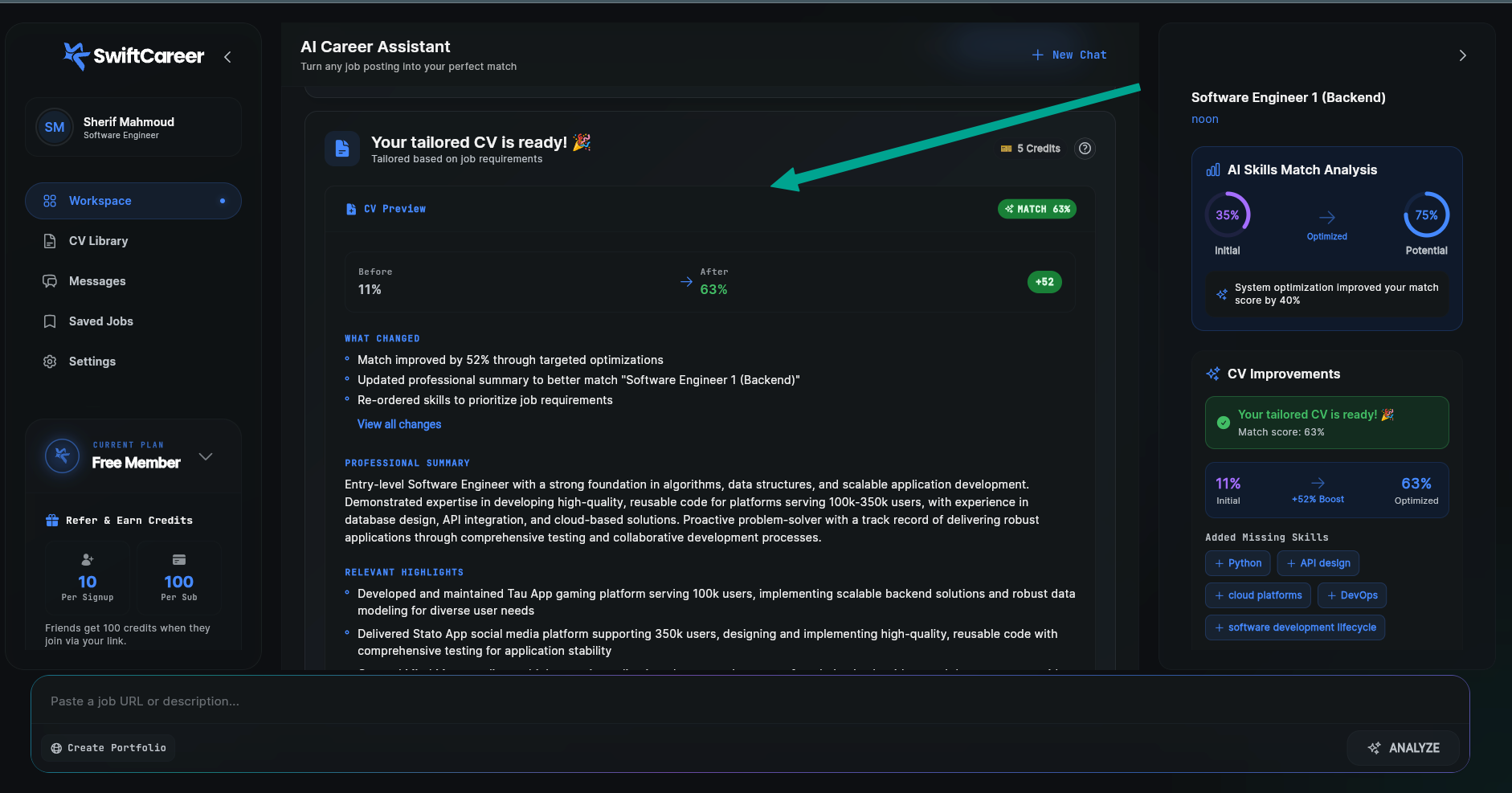
- Tap "Generate Tailored CV": The assistant will start tailoring your CV
- Wait a moment: You may see a typing indicator while processing
What Happens?
- Summary Optimization: Rephrasing the summary with job-specific keywords
- Skill Reordering: Putting the most relevant skills first
- Experience Enhancement: Emphasizing relevant achievements
- Result Display: You'll see your tailored CV with improved match percentage
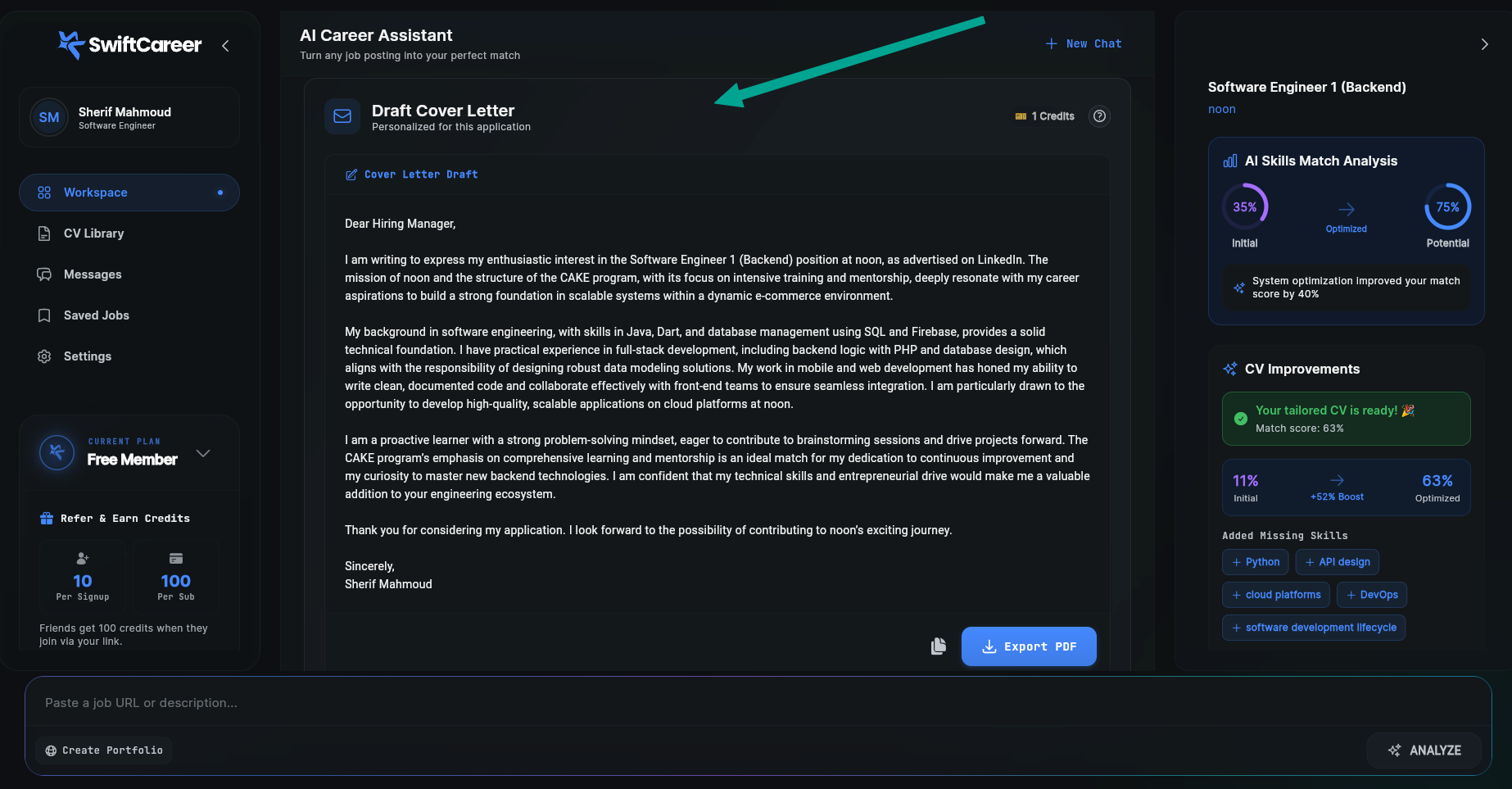
Step 5: Cover Letter
- The assistant will generate a cover letter tailored to the job
- Review the Letter: Make sure information is accurate
- Edit as Needed: Add a personal touch, but don't make up information
Step 6: Edit and Export
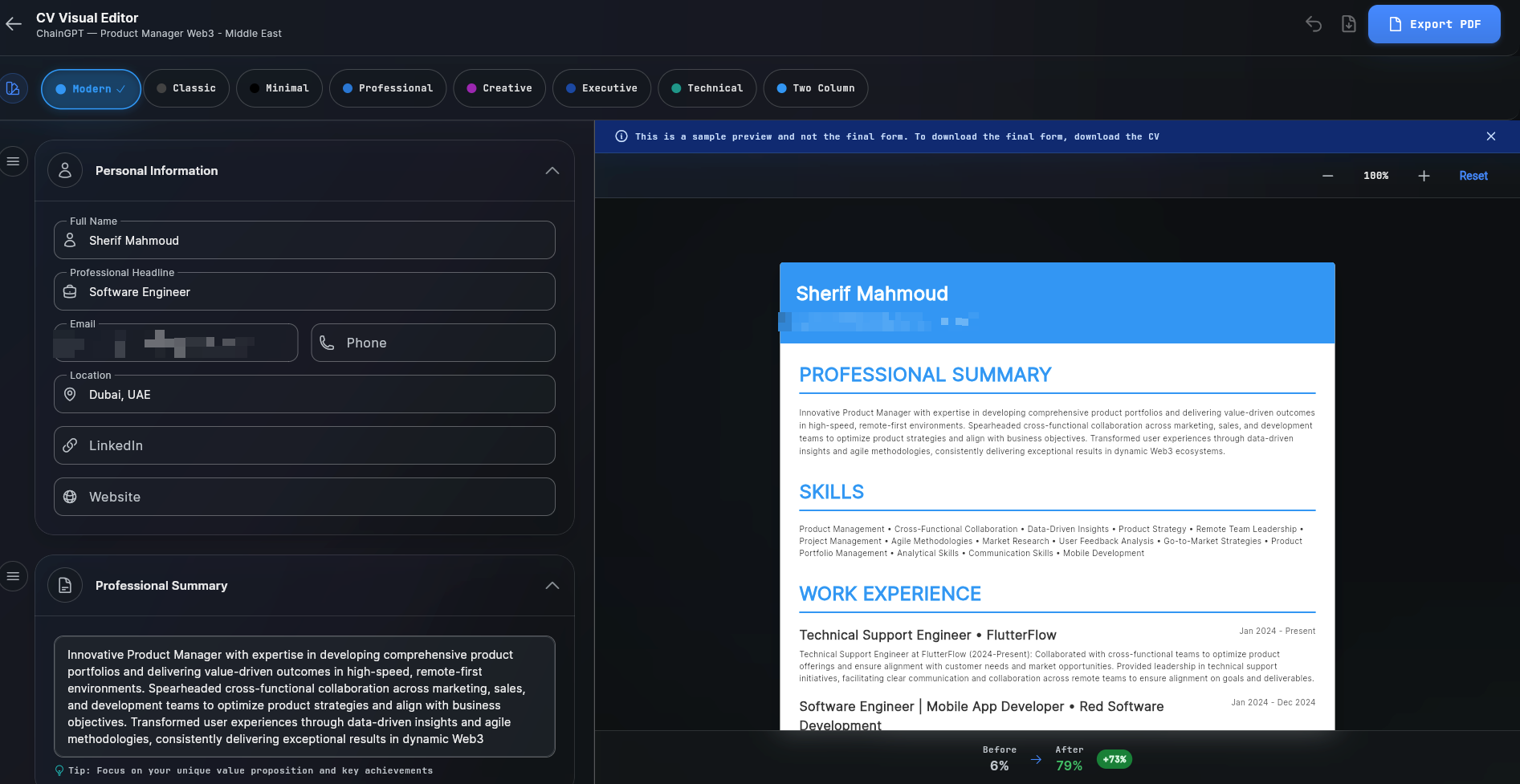
Open the CV Editor
- From the CV message, tap "Open Editor" or "Edit CV"
- The visual editor will open with a live preview
Editing
- Choose a Template: Try different templates from the template bar
- Edit Content: Use the side panels to edit each section
- Live Preview: See changes in real-time
Export as PDF
- Tap "Export PDF"
- Download will start automatically
- Save the file in a safe place
Tips for Success
Keep Your Profile Updated
- The more data you add to your profile, the better the results - Every piece of information you add (work experience, skills, education, projects) helps the SwiftCareer create more accurate and tailored CVs
- Regularly update your profile with new experiences and skills
- Add detailed descriptions and achievements for each role
- The richer your profile data, the more precise the job matching and CV tailoring will be
Be Honest and Specific
- Use real details (dates, technologies, achievements)
- Don't make up information or skills
- Use numbers and metrics when possible
Always Review
- Review every generated document before using
- Make sure information is accurate
- Add a personal touch
Next Steps
Now that you've created your first tailored CV:
Getting Help
If you encounter any problems:
- Look for the help icon inside the app
- Review FAQ
- Visit swiftcareer.io for support
Congratulations! You're now ready to use SwiftCareer effectively.