Referral Program
The Referral Program allows you to earn credits by inviting friends to SwiftCareer, while your friends get free credits when they join.
Overview
The Referral Program is a win-win system:
- You earn credits when friends sign up and subscribe using your referral code
- Your friends get free credits when they use your referral code
- Everyone benefits from the program
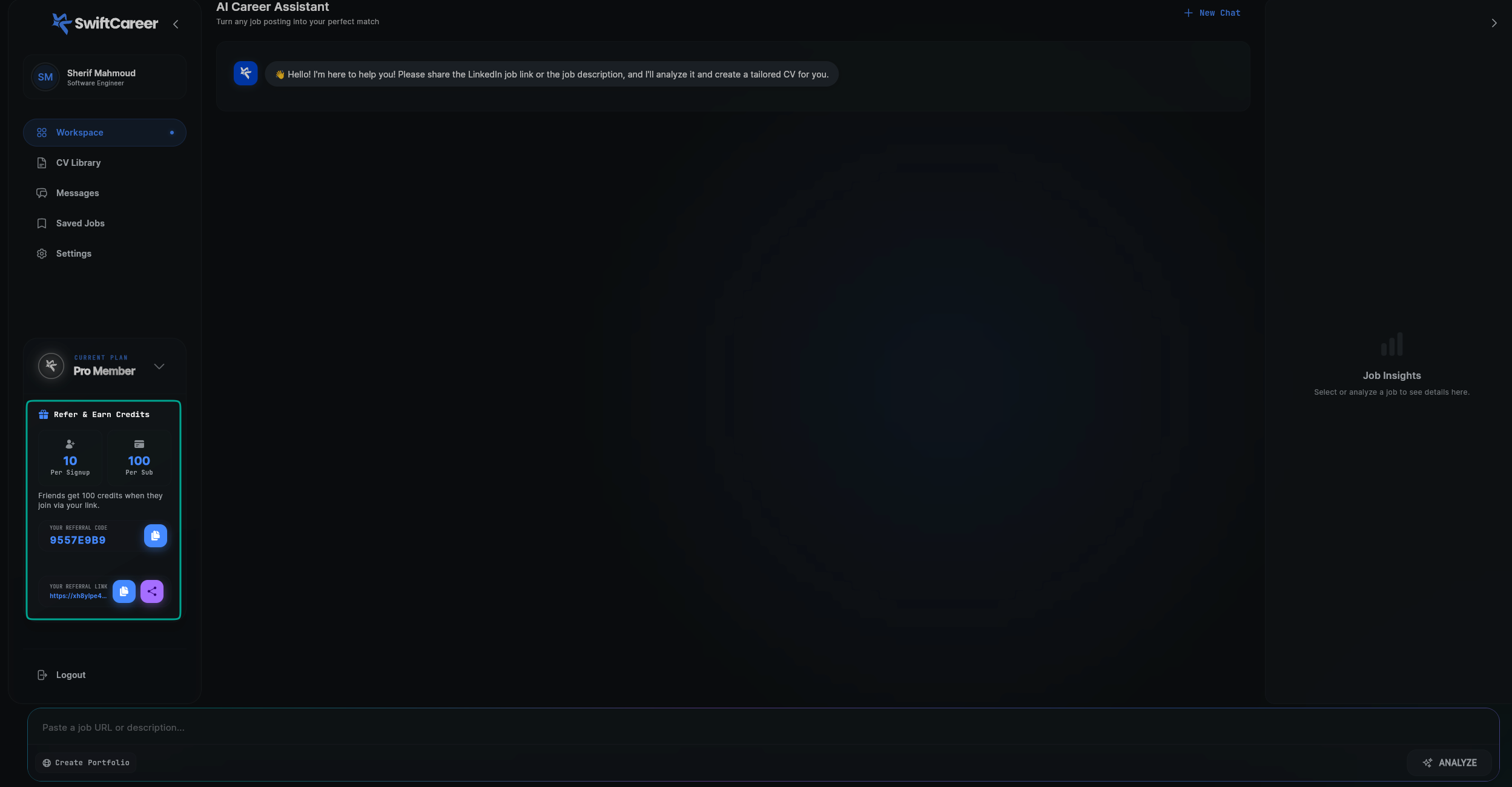
How It Works
For You (The Referrer)
When someone uses your referral code or link:
- Registration Reward: You earn 10 credits immediately when they create an account using your referral code
- Subscription Reward: You earn an additional 100 credits when they subscribe to any paid plan
- Total Potential: Up to 110 credits per successful referral
For Your Friends (New Users)
When someone uses a referral code:
- Free Credits: They receive 100 free credits immediately upon using the code
- No Restrictions: These credits can be used for any feature in the app
- Instant Access: Credits are added to their account right away
Where to Use Referral Codes
Referral codes can be entered in two places:
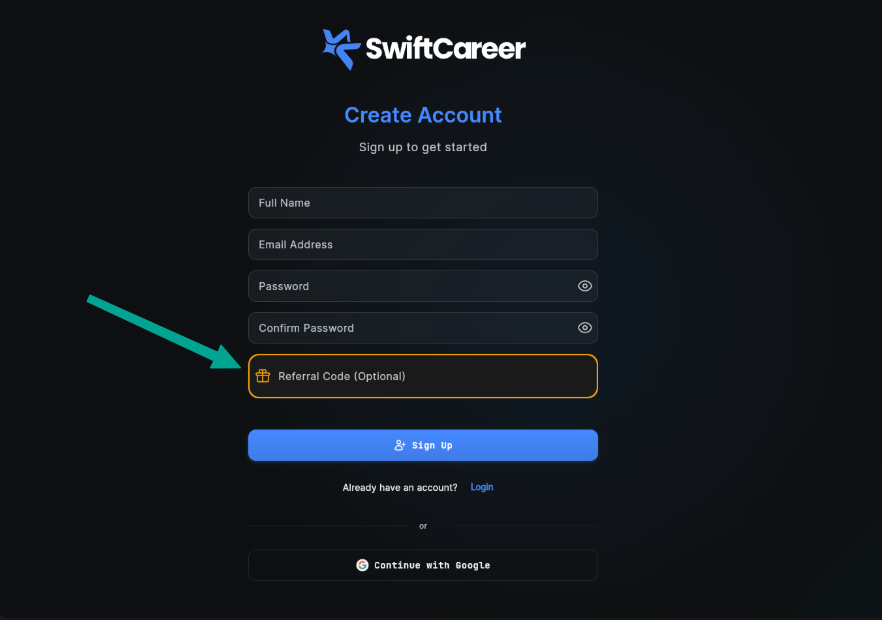
1. During Account Creation
When creating a new account, users can enter a referral code during the signup process.
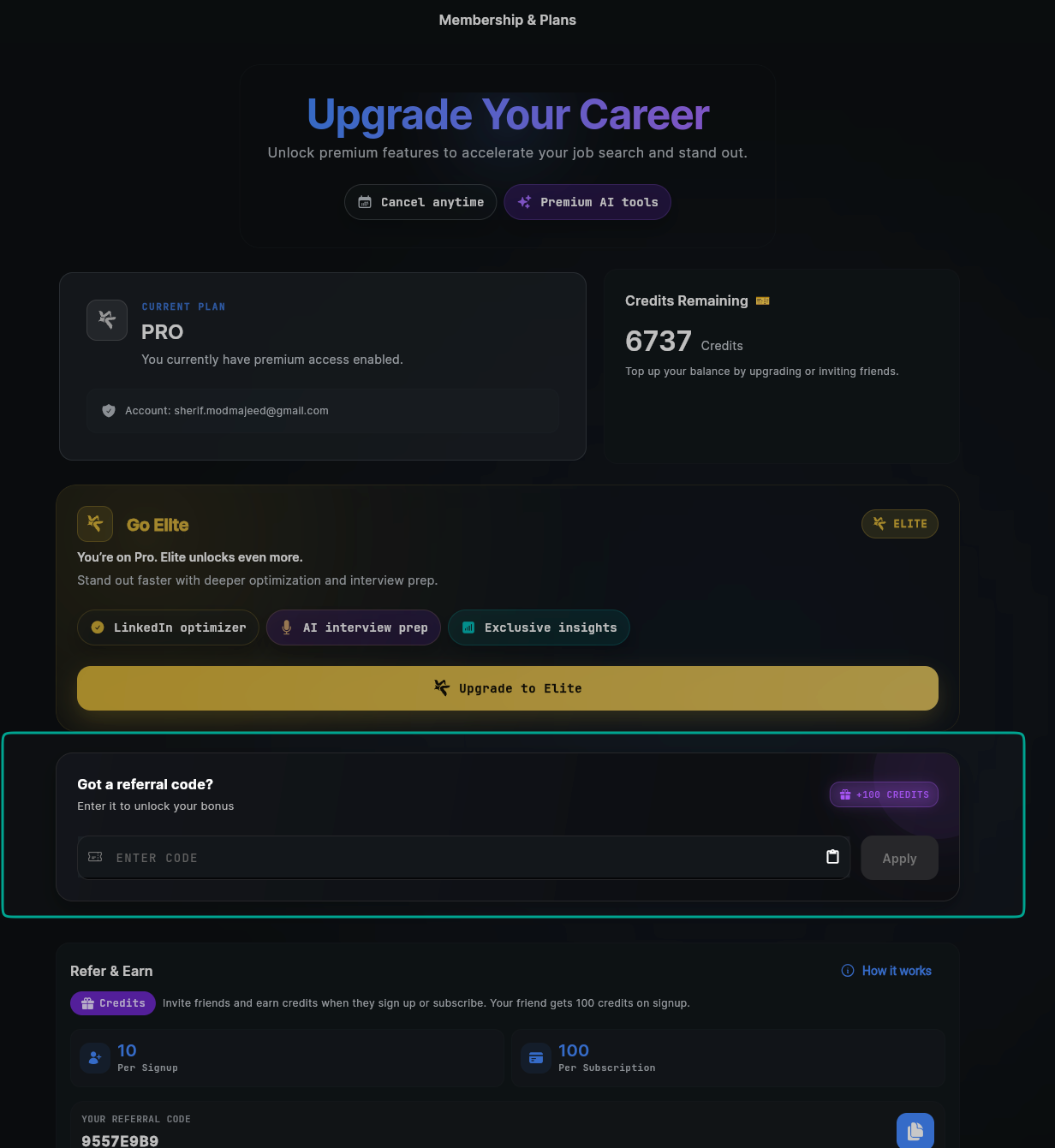
2. On the Payment Page
Existing users who haven't used a referral code yet can enter one on the Payment & Plans page before subscribing.
How to Share Your Referral Code
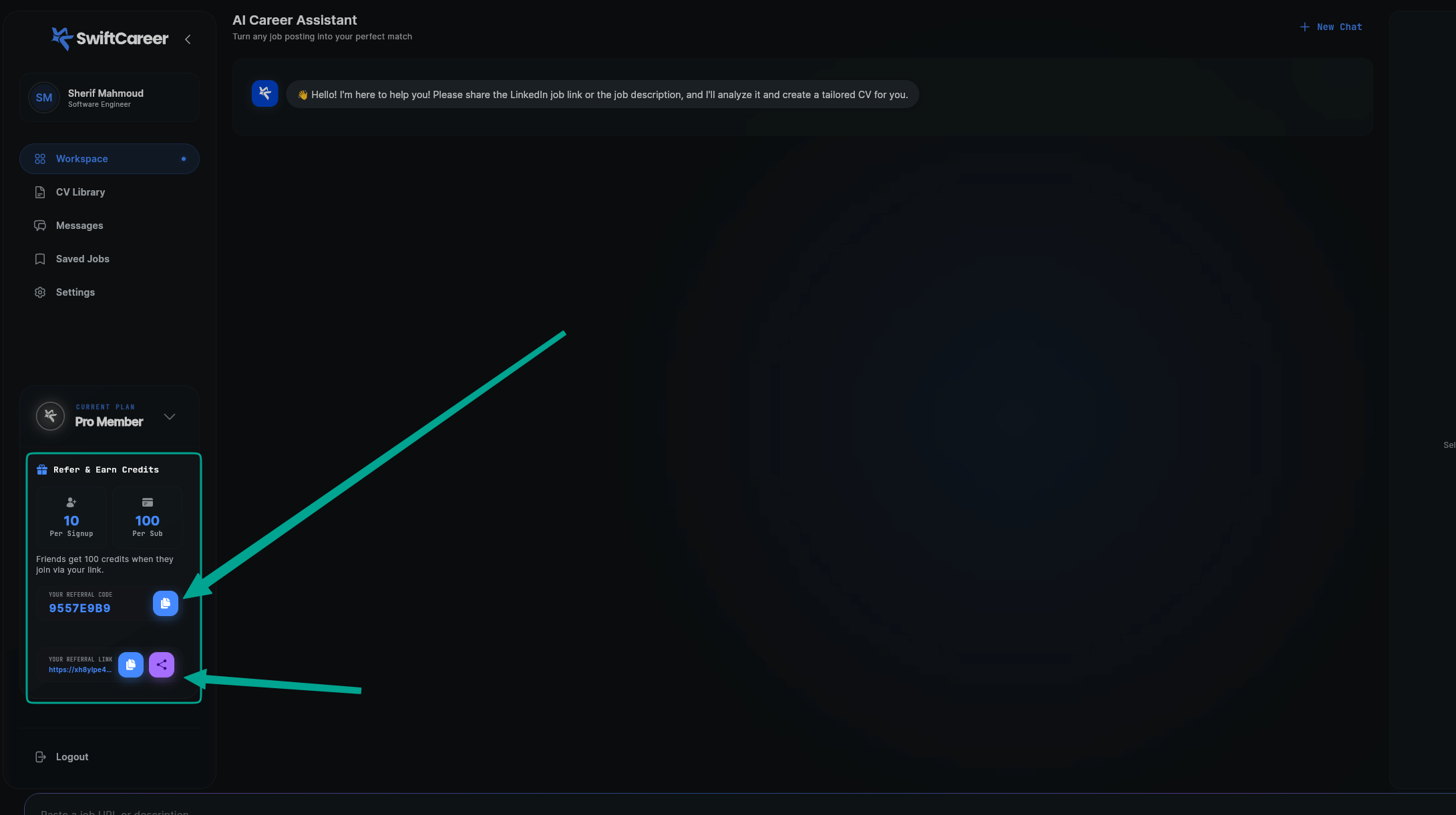
Accessing Your Referral Code
- Go to the Settings page
- Find the Referral Program section
- Your unique referral code and link will be displayed
Sharing Methods
You can share your referral in multiple ways:
- Copy Referral Code: Share the code directly with friends
- Share Referral Link: Send the unique referral link via any messaging platform
- Social Media: Share on your social media profiles
Tracking Your Referrals
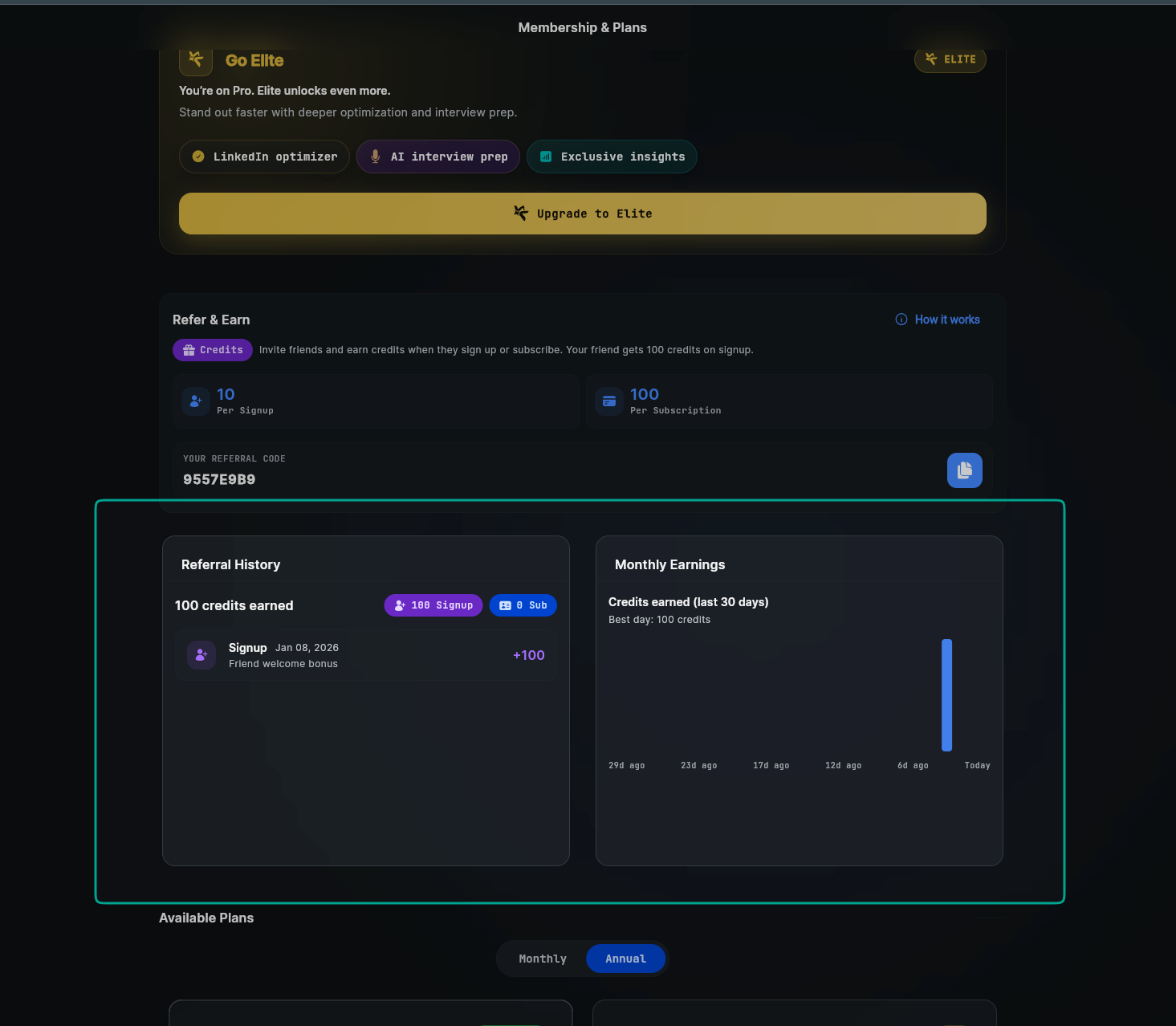
You can track your referral activity:
- Total Referrals: See how many people have used your code
- Credits Earned: View total credits earned from referrals
- Recent Activity: Check recent referrals and their status
Tips for Success
Share Strategically
- Share with friends who are actively job searching
- Post on professional networks and job search communities
- Include your referral code in career-related discussions
Explain the Benefits
- Let friends know they get 100 free credits
- Explain how SwiftCareer can help with their job search
- Share your own success stories
Common Questions
When do I receive credits?
- Registration credits (10): Added immediately when someone creates an account with your code
- Subscription credits (100): Added immediately when they complete their first subscription
Can I use my own referral code?
No, you cannot use your own referral code on your account.
What if someone uses my code but doesn't subscribe?
You'll still receive the 10 credits for registration. The additional 100 credits are only awarded when they subscribe.
Can I track who used my code?
You can see the number of referrals and total credits earned, but individual user information is kept private for privacy reasons.
Next Steps
After learning about the Referral Program:
Getting Help
- Review Credits & Plans FAQ
- Review General FAQ
- Contact support via swiftcareer.io